sxst-001
Scape X® Stickers | 1 Foil Sheet IDs 1-24
<div class="techspecs"><span class="techspecs-headline">Scape X® Stickers | 1 Foil Sheet IDs 1-24</span><span class="techspecs-text">24 transparent stickers<br />» Price Scale: 1 - 9 | 10 - 99 | 100 - ...<br /><br />» For recognition on Scape® Tangible Displays 55" / 65" with Scape X® Engine and on Scape X®-certified third-party displays as well as Scape X® Surfaces<br />» 24 foil stickers, 1x IDs 1-24<br />» Recognition without direct discharge<br />» IDs can be changed in the user interface<br />» Angle rotation precision < 1°<br />» Ø 48 mm, h 0,5mm<br /><br />» We are happy to provide an offer for customised Scape X® Objects upon request.<br /><br />Requirements for use without interferences:<br />» Stickers need to be placed flat on the display<br />» Capacitive objects require a ~10 mm insulation layer between sticker and object, we will be happy to advise you!<br /><br />You can find more information on this article at https://www.ias-manuals.com/sxst-001</span></div>
<div class="techspecs-root"><div class="techspecs"><div class="techspecs-content"><span class="techspecs-headline">Scape X® Stickers | 1 Foil Sheet IDs 1-24</span><br/><br/><span class="table-key">Article Number: </span><span class="table-value">sxst-001</span><br/><br/><span class="table-headline">Dimensions</span><br/><span class="table-key">Sticker: </span><span class="table-value">ø: 48.0 mm</span><br/><span class="table-key">Sheet: </span><span class="table-value">34.0x23.5 mm, (LxW) 14.5g</span><br/><span class="table-key">Material: </span><span class="table-value">PET, print</span><br/><span class="table-key">Quantity: </span><span class="table-value">1 sheet with 24 self-adhesive stickers</span><br/><br/><span class="table-headline">Features</span><br/><span class="table-key">TUIO IDs: </span><span class="table-value">1 - 24</span><br/><span class="table-key">Rotational angular precision: </span><span class="table-value">< 1°, 0° adjustable</span><br/><span class="table-key">Compatible with: </span><span class="table-value">Scape® Tangible Displays 32" / 43" / 55" / 65" with Scape X® Object Recognition Module</span><br/></div></div></div>
sxmv-002-38p
Scape X® Magnify Visible | ID 38
<div class="techspecs"><span class="techspecs-headline">Scape X® Magnify Visible | ID 38</span><span class="techspecs-text">» For recognition on Scape® Tangible Displays 55" / 65" with Scape X® Engine and on Scape X®-certified third-party displays as well as Scape X® Surfaces<br />» black acrylic ring with ID 38<br />» Recognition without direct discharge<br />» IDs can be changed in the user interface<br />» Angle rotation precision < 1°<br />» Ø 193 mm, h 15 mm ± 0.9 mm<br /><br /><br />» black main body<br />» H 15 mm ± 0.9 mm<br />» Outside ø 193 mm<br />» Inside ø 161 mm<br /><br />You can find more information on this article at https://www.ias-manuals.com/sxmv-002-38p</span></div>
<div class="techspecs-root"><div class="techspecs"><div class="techspecs-content"><span class="techspecs-headline">Scape X® Magnify Visible | ID 38</span><br/><br/><span class="table-key">Article Number: </span><span class="table-value">sxmv-002-38p</span><br/><br/><span class="table-key">Dimensions: </span><span class="table-value">Inner ø: 161.0 mm, Outer ø : 193.0 mm, h: 15.0 mm ± 0.9mm</span><br/><span class="table-key">Weight: </span><span class="table-value">148 g</span><br/><span class="table-key">Material: </span><span class="table-value">Acrylic, black</span><br/><br/><span class="table-headline">Features</span><br/><span class="table-key">TUIO ID: </span><span class="table-value">38</span><br/><span class="table-key">Rotational angular precision: </span><span class="table-value">< 1°, 0° adjustable</span><br/><span class="table-key">Compatible with: </span><span class="table-value">Scape® Tangible Displays 55" / 65" with Scape X® Object Recognition Module</span><br/><span class="table-key">Patent: </span><span class="table-value">U.S. Patent No. 12,026,328</span><br/></div></div></div>
sxmv-002-37p
Scape X® Magnify Visible | ID 37
<div class="techspecs"><span class="techspecs-headline">Scape X® Magnify Visible | ID 37</span><span class="techspecs-text">» For recognition on Scape® Tangible Displays 55" / 65" with Scape X® Engine and on Scape X®-certified third-party displays as well as Scape X® Surfaces<br />» black acrylic ring with ID 37<br />» Recognition without direct discharge<br />» IDs can be changed in the user interface<br />» Angle rotation precision < 1°<br />» Ø 193 mm, h 15 mm ± 0,9 mm<br /><br /><br />» black main body<br />» H 15 mm ± 0.9 mm<br />» Outside ø 193 mm<br />» Inside ø 161 mm<br /><br />You can find more information on this article at https://www.ias-manuals.com/sxmv-002-37p</span></div>
<div class="techspecs-root"><div class="techspecs"><div class="techspecs-content"><span class="techspecs-headline">Scape X® Magnify Visible | ID 37</span><br/><br/><span class="table-key">Article Number: </span><span class="table-value">sxmv-002-37p</span><br/><br/><span class="table-key">Dimensions: </span><span class="table-value">Inner ø: 161.0 mm, Outer ø : 193.0 mm, h: 15.0 mm ± 0.9mm</span><br/><span class="table-key">Weight: </span><span class="table-value">148 g</span><br/><span class="table-key">Material: </span><span class="table-value">Acrylic, black</span><br/><br/><span class="table-headline">Features</span><br/><span class="table-key">TUIO ID: </span><span class="table-value">37</span><br/><span class="table-key">Rotational angular precision: </span><span class="table-value">< 1°, 0° adjustable</span><br/><span class="table-key">Compatible with: </span><span class="table-value">Scape® Tangible Displays 55" / 65" with Scape X® Object Recognition Module</span><br/><span class="table-key">Patent: </span><span class="table-value">U.S. Patent No. 12,026,328</span><br/></div></div></div>
sxmi-002-38p
Scape X® Magnify Invisible | ID 38
<div class="techspecs"><span class="techspecs-headline">Scape X® Magnify Invisible | ID 38</span><span class="techspecs-text">» For recognition on Scape® Tangible Displays 55" / 65" with Scape X® Engine and on Scape X®-certified third-party displays as well as Scape X® Surfaces<br />» transparent acrylic ring with ID 38<br />» Recognition without direct discharge<br />» IDs can be changed in the user interface<br />» Angle rotation precision < 1°<br />» Ø 193 mm, h 15 mm ± 0.9 mm<br /><br /><br />» transparent main body<br />» H 15 mm ± 0.9 mm<br />» Outside ø 193 mm<br />» Inside ø 161 mm<br /><br />You can find more information on this article at https://www.ias-manuals.com/sxmi-001-38p</span></div>
<div class="techspecs-root"><div class="techspecs"><div class="techspecs-content"><span class="techspecs-headline">Scape X® Magnify Invisible | ID 38</span><br/><br/><span class="table-key">Article Number: </span><span class="table-value">sxmi-002-38p</span><br/><br/><span class="table-key">Dimensions: </span><span class="table-value">Inner ø: 161.0 mm, Outer ø : 193.0 mm, h: 15.0 mm ± 0.9mm</span><br/><span class="table-key">Weight: </span><span class="table-value">148 g</span><br/><span class="table-key">Material: </span><span class="table-value">Acrylic, transparent</span><br/><br/><span class="table-headline">Features</span><br/><span class="table-key">TUIO ID: </span><span class="table-value">38</span><br/><span class="table-key">Rotational angular precision: </span><span class="table-value">< 1°, 0° adjustable</span><br/><span class="table-key">Compatible with: </span><span class="table-value">Scape® Tangible Displays 55" / 65" with Scape X® Object Recognition Module</span><br/><span class="table-key">Patent: </span><span class="table-value">U.S. Patent No. 12,026,328</span><br/></div></div></div>
sxmi-002-37p
Scape X® Magnify Invisible | ID 37
<div class="techspecs"><span class="techspecs-headline">Scape X® Magnify Invisible | ID 37</span><span class="techspecs-text">» For recognition on Scape® Tangible Displays 55" / 65" with Scape X® Engine and on Scape X®-certified third-party displays as well as Scape X® Surfaces<br />» transparent acrylic ring with ID 37<br />» Recognition without direct discharge<br />» IDs can be changed in the user interface<br />» Angle rotation precision < 1°<br />» Ø 193 mm, h 15 mm ± 0,9 mm<br /><br /><br />» transparent main body<br />» H 15 mm ± 0.9 mm<br />» Outside ø 193 mm<br />» Inside ø 161 mm<br /><br />You can find more information on this article at https://www.ias-manuals.com/sxmi-001-37p</span></div>
<div class="techspecs-root"><div class="techspecs"><div class="techspecs-content"><span class="techspecs-headline">Scape X® Magnify Invisible | ID 37</span><br/><br/><span class="table-key">Article Number: </span><span class="table-value">sxmi-002-37p</span><br/><br/><span class="table-key">Dimensions: </span><span class="table-value">Inner ø: 161.0 mm, Outer ø : 193.0 mm, h: 15.0 mm ± 0.9mm</span><br/><span class="table-key">Weight: </span><span class="table-value">148 g</span><br/><span class="table-key">Material: </span><span class="table-value">Acrylic, transparent</span><br/><br/><span class="table-headline">Features</span><br/><span class="table-key">TUIO ID: </span><span class="table-value">37</span><br/><span class="table-key">Rotational angular precision: </span><span class="table-value">< 1°, 0° adjustable</span><br/><span class="table-key">Compatible with: </span><span class="table-value">Scape® Tangible Displays 55" / 65" with Scape X® Object Recognition Module</span><br/><span class="table-key">Patent: </span><span class="table-value">U.S. Patent No. 12,026,328</span><br/></div></div></div>
sxti-002_13-24
Scape X® Tags Invisible | IDs 13-24
<div class="techspecs"><span class="techspecs-headline">Scape X® Tags Invisible | IDs 13-24</span><span class="techspecs-text">12 transparent acrylic discs in Scape X® packaging<br /><br />» For recognition on Scape® Tangible Displays 55" / 65" with Scape X® Engine and on Scape X®-certified third-party displays as well as Scape X® Surfaces<br />» 12 transparent acrylic discs with IDs 13-24<br />» Can be attached to almost any object<br />» Recognition without direct discharge<br />» IDs can be changed in the user interface<br />» Angle rotation precision < 1°<br />» Ø 48 mm, h 3 mm, ± 0,5 mm<br /><br /><br />» We are happy to provide an offer for customised Scape X® Objects upon request.<br /><br />You can find more information on this article at https://www.ias-manuals.com/sxti-002_13-24</span></div>
<div class="techspecs-root"><div class="techspecs"><div class="techspecs-content"><span class="techspecs-headline">Scape X® Tags Invisible | IDs 13-24</span><br/><br/><span class="table-key">Article Number: </span><span class="table-value">sxti-002_13-24</span><br/><br/><span class="table-key">Dimensions: </span><span class="table-value">ø: 48.0 mm, h: 3 mm ±0.5 mm</span><br/><span class="table-key">Weight: </span><span class="table-value">7 g</span><br/><span class="table-key">Material: </span><span class="table-value">Acrylic, transparent</span><br/><br/><span class="table-headline">Features</span><br/><span class="table-key">TUIO IDs: </span><span class="table-value">13 - 24</span><br/><span class="table-key">Rotational angular precision: </span><span class="table-value">< 1°, 0° adjustable</span><br/><span class="table-key">Compatible with: </span><span class="table-value">Scape® Tangible Displays 55" / 65" with Scape X® Object Recognition Module</span><br/><span class="table-key">Patent: </span><span class="table-value">U.S. Patent No. 12,026,328</span><br/></div></div></div>
sxti-002_1-12
Scape X® Tags Invisible | IDs 1-12
<div class="techspecs"><span class="techspecs-headline">Scape X® Tags Invisible | IDs 1-12</span><span class="techspecs-text">12 transparent acrylic discs in Scape X® packaging<br /><br />» For recognition on Scape® Tangible Displays 55" / 65" with Scape X® Engine and on Scape X®-certified third-party displays as well as Scape X® Surfaces<br />» 12 transparent acrylic discs with IDs 1-12<br />» Can be attached to almost any object<br />» Recognition without direct discharge<br />» IDs can be changed in the user interface<br />» Angle rotation precision < 1°<br />» Ø 48 mm, h 3 mm, ± 0,5 mm<br /><br /><br />» We are happy to provide an offer for customised Scape X® Objects upon request.<br /><br />You can find more information on this article at https://www.ias-manuals.com/sxti-002_1-12</span></div>
<div class="techspecs-root"><div class="techspecs"><div class="techspecs-content"><span class="techspecs-headline">Scape X® Tags Invisible | IDs 1-12</span><br/><br/><span class="table-key">Article Number: </span><span class="table-value">sxti-002_1-12</span><br/><br/><span class="table-key">Dimensions: </span><span class="table-value">ø: 48.0 mm, h: 3 mm ±0.5mm</span><br/><span class="table-key">Weight: </span><span class="table-value">7 g</span><br/><span class="table-key">Material: </span><span class="table-value">Acrylic, transparent</span><br/><br/><span class="table-headline">Features</span><br/><span class="table-key">TUIO IDs: </span><span class="table-value">1 - 12</span><br/><span class="table-key">Rotational angular precision: </span><span class="table-value">< 1°, 0° adjustable</span><br/><span class="table-key">Compatible with: </span><span class="table-value">Scape® Tangible Displays 55" / 65" with Scape X® Object Recognition Module</span><br/><span class="table-key">Patent: </span><span class="table-value">U.S. Patent No. 12,026,328</span><br/></div></div></div>
sxtv-002_13-24
Scape X® Tags Visible | IDs 13-24
<div class="techspecs"><span class="techspecs-headline">Scape X® Tags Visible | IDs 13-24</span><span class="techspecs-text">12 black acrylic discs in Scape X® packaging<br /><br />» For recognition on Scape® Tangible Displays 55" / 65" with Scape X® Engine and on Scape X®-certified third-party displays as well as Scape X® Surfaces<br />» 12 black acrylic discs with IDs 13-24<br />» Can be attached to almost any object<br />» Recognition without direct discharge<br />» IDs can be changed in the user interface<br />» Angle rotation precision < 1°<br />» Ø 48 mm, h 3 mm, ± 0.5 mm<br /><br /><br />» We are happy to provide an offer for customised Scape X® Objects upon request.<br /><br />You can find more information on this article at https://www.ias-manuals.com/sxtv-002_13-24</span></div>
<div class="techspecs-root"><div class="techspecs"><div class="techspecs-content"><span class="techspecs-headline">Scape X® Tags Visible | IDs 13-24</span><br/><br/><span class="table-key">Article Number: </span><span class="table-value">sxtv-002_13-24</span><br/><br/><span class="table-key">Dimensions: </span><span class="table-value">ø: 48.0 mm, h: 3 mm ± 0.5 mm</span><br/><span class="table-key">Weight: </span><span class="table-value">7 g</span><br/><span class="table-key">Material: </span><span class="table-value">Acrylic, black</span><br/><br/><span class="table-headline">Features</span><br/><span class="table-key">TUIO IDs: </span><span class="table-value">1 - 12</span><br/><span class="table-key">Rotational angular precision: </span><span class="table-value">< 1°, 0° adjustable</span><br/><span class="table-key">Compatible with: </span><span class="table-value">Scape® Tangible Displays 55" / 65" with Scape X® Object Recognition Module</span><br/><span class="table-key">Patent: </span><span class="table-value">U.S. Patent No. 12,026,328</span><br/></div></div></div>
sxtv-002_1-12
Scape X® Tags Visible | IDs 1-12
<div class="techspecs"><span class="techspecs-headline">Scape X® Tags Visible | IDs 1-12</span><span class="techspecs-text">12 black acrylic discs in Scape X® packaging<br /><br />» For recognition on Scape® Tangible Displays 55" / 65" with Scape X® Engine and on Scape X®-certified third-party displays as well as Scape X® Surfaces<br />» 12 black acrylic discs with IDs 1-12<br />» Can be attached to almost any object<br />» Recognition without direct discharge<br />» IDs can be changed in the user interface<br />» Angle rotation precision < 1°<br />» Ø 48 mm, h 3 mm, ± 0,5 mm<br /><br /><br />» We are happy to provide an offer for customised Scape X® Objects upon request.<br /><br />You can find more information on this article at https://www.ias-manuals.com/sxtv-002_1-12</span></div>
<div class="techspecs-root"><div class="techspecs"><div class="techspecs-content"><span class="techspecs-headline">Scape X® Tags Visible | IDs 1-12</span><br/><br/><span class="table-key">Article Number: </span><span class="table-value">sxtv-002_1-12</span><br/><br/><span class="table-key">Dimensions: </span><span class="table-value">ø: 48.0 mm, h: 3 mm ±0.5 mm</span><br/><span class="table-key">Weight: </span><span class="table-value">7 g</span><br/><span class="table-key">Material: </span><span class="table-value">Acrylic, black</span><br/><br/><span class="table-headline">Features</span><br/><span class="table-key">TUIO IDs: </span><span class="table-value">1 - 12</span><br/><span class="table-key">Rotational angular precision: </span><span class="table-value">< 1°, 0° adjustable</span><br/><span class="table-key">Compatible with: </span><span class="table-value">Scape® Tangible Displays 55" / 65" with Scape X® Object Recognition Module</span><br/><span class="table-key">Patent: </span><span class="table-value">U.S. Patent No. 12,026,328</span><br/></div></div></div>
sxsv-002_19-24
Scape X® Shape Visible | IDs 19-24
<div class="techspecs"><span class="techspecs-headline">Scape X® Shape Visible | IDs 19-24</span><span class="techspecs-text">6 black acrylic objects in Scape X® packaging<br /><br />» For recognition on Scape® Tangible Displays 55" / 65" with Scape X® Engine and on Scape X®-certified third-party displays as well as Scape X® Surfaces<br />» 6 black acrylic objects with IDs 19-24<br />» Can be attached to almost any object<br />» Recognition without direct discharge<br />» IDs can be changed in the user interface<br />» Angle rotation precision < 1°<br />» Ø 74,3 mm, h 20 mm ± 1 mm<br /><br /><br />» We are happy to provide an offer for customised Scape X® Objects upon request.<br /><br />You can find more information on this article at https://www.ias-manuals.com/sxsv-002_19-24</span></div>
<div class="techspecs-root"><div class="techspecs"><div class="techspecs-content"><span class="techspecs-headline">Scape X® Shape Visible | IDs 19-24</span><br/><br/><span class="table-key">Article Number: </span><span class="table-value">sxsv-002_19-24</span><br/><br/><span class="table-key">Dimensions: </span><span class="table-value">ø: 74.3 mm, h: 20 mm ± 1 mm</span><br/><span class="table-key">Weight: </span><span class="table-value">103 g</span><br/><span class="table-key">Material: </span><span class="table-value">Acrylic, black</span><br/><br/><span class="table-headline">Features</span><br/><span class="table-key">TUIO IDs: </span><span class="table-value">19 - 24</span><br/><span class="table-key">Rotational angular precision: </span><span class="table-value">< 1°, 0° adjustable</span><br/><span class="table-key">Compatible with: </span><span class="table-value">Scape® Tangible Displays 55" / 65" with Scape X® Object Recognition Module</span><br/><span class="table-key">Patent: </span><span class="table-value">U.S. Patent No. 12,026,328</span><br/></div></div></div>
sxsv-002_13-18
Scape X® Shape Visible | IDs 13-18
<div class="techspecs"><span class="techspecs-headline">Scape X® Shape Visible | IDs 13-18</span><span class="techspecs-text">6 black acrylic objects in Scape X® packaging<br /><br />» For recognition on Scape® Tangible Displays 55" / 65" with Scape X® Engine and on Scape X®-certified third-party displays as well as Scape X® Surfaces<br />» 6 black acrylic objects with IDs 13-18<br />» Can be attached to almost any object<br />» Recognition without direct discharge<br />» IDs can be changed in the user interface<br />» Angle rotation precision < 1°<br />» Ø 74,3 mm, h 20 mm ± 1 mm<br /><br /><br />› We are happy to provide an offer for customised Scape X® Objects upon request.<br /><br />You can find more information on this article at https://www.ias-manuals.com/sxsv-002_13-18</span></div>
<div class="techspecs-root"><div class="techspecs"><div class="techspecs-content"><span class="techspecs-headline">Scape X® Shape Visible | IDs 13-18</span><br/><br/><span class="table-key">Article Number: </span><span class="table-value">sxsv-002_13-18</span><br/><br/><span class="table-key">Dimensions: </span><span class="table-value">ø: 74.3 mm, h: 20 mm ± 1 mm</span><br/><span class="table-key">Weight: </span><span class="table-value">103 g</span><br/><span class="table-key">Material: </span><span class="table-value">Acrylic, black</span><br/><br/><span class="table-headline">Features</span><br/><span class="table-key">TUIO IDs: </span><span class="table-value">13 - 18</span><br/><span class="table-key">Rotational angular precision: </span><span class="table-value">< 1°, 0° adjustable</span><br/><span class="table-key">Compatible with: </span><span class="table-value">Scape® Tangible Displays 55" / 65" with Scape X® Object Recognition Module</span><br/><span class="table-key">Patent: </span><span class="table-value">U.S. Patent No. 12,026,328</span><br/></div></div></div>
sxsv-002_7-12
Scape X® Shape Visible | IDs 7-12
<div class="techspecs"><span class="techspecs-headline">Scape X® Shape Visible | IDs 7-12</span><span class="techspecs-text">› 6 black acrylic objects in Scape X® packaging<br /><br />• For recognition on Scape® Tangible Displays 55" / 65" with Scape X® Engine and on Scape X®-certified third-party displays as well as Scape X® Surfaces<br />• 6 black acrylic objects with IDs 7-12<br />• Can be attached to almost any object<br />• Recognition without direct discharge<br />• IDs can be changed in the user interface<br />• Angle rotation precision < 1°<br />• Ø 74,3 mm, h 20 mm ± 1 mm<br /><br /><br />› We are happy to provide an offer for customised Scape X® Objects upon request.<br /><br />You can find more information on this article at https://www.ias-manuals.com/sxsv-002_7-12</span></div>
<div class="techspecs-root"><div class="techspecs"><div class="techspecs-content"><span class="techspecs-headline">Scape X® Shape Visible | IDs 7-12</span><br/><br/><span class="table-key">Article Number: </span><span class="table-value">sxsv-002_7-12</span><br/><br/><span class="table-key">Dimensions: </span><span class="table-value">ø: 74.3 mm, h: 20 mm ± 1 mm</span><br/><span class="table-key">Weight: </span><span class="table-value">103 g</span><br/><span class="table-key">Material: </span><span class="table-value">Acrylic, black</span><br/><br/><span class="table-headline">Features</span><br/><span class="table-key">TUIO IDs: </span><span class="table-value">7 - 12</span><br/><span class="table-key">Rotational angular precision: </span><span class="table-value">< 1°, 0° adjustable</span><br/><span class="table-key">Compatible with: </span><span class="table-value">Scape® Tangible Displays 55" / 65" with Scape X® Object Recognition Module</span><br/><span class="table-key">Patent: </span><span class="table-value">U.S. Patent No. 12,026,328</span><br/></div></div></div>
sxsv-002_1-6
Scape X® Shape Visible | IDs 1-6
<div class="techspecs"><span class="techspecs-headline">Scape X® Shape Visible | IDs 1-6</span><span class="techspecs-text">6 black acrylic objects in Scape X® packaging<br /><br />» For recognition on Scape® Tangible Displays 55" / 65" with Scape X® Engine and on Scape X®-certified third-party displays as well as Scape X® Surfaces<br />» 6 black acrylic objects with IDs 1-6<br />» Can be attached to almost any object<br />» Recognition without direct discharge<br />» IDs can be changed in the user interface<br />» Angle rotation precision < 1°<br />» Ø 74,3 mm, h 20 mm ± 1 mm<br /><br /><br />» We are happy to provide an offer for customised Scape X® Objects upon request.<br /><br />You can find more information on this article at https://www.ias-manuals.com/sxsv-002_1-6</span></div>
<div class="techspecs-root"><div class="techspecs"><div class="techspecs-content"><span class="techspecs-headline">Scape X® Shape Visible | IDs 1-6</span><br/><br/><span class="table-key">Article Number: </span><span class="table-value">sxsv-002_1-6</span><br/><br/><span class="table-key">Dimensions: </span><span class="table-value">ø: 74.3 mm, h: 20 mm ± 1 mm</span><br/><span class="table-key">Weight: </span><span class="table-value">103 g</span><br/><span class="table-key">Material: </span><span class="table-value">Acrylic, black</span><br/><br/><span class="table-headline">Features</span><br/><span class="table-key">TUIO IDs: </span><span class="table-value">1 - 6</span><br/><span class="table-key">Rotational angular precision: </span><span class="table-value">< 1°, 0° adjustable</span><br/><span class="table-key">Compatible with: </span><span class="table-value">Scape® Tangible Displays 55" / 65" with Scape X® Object Recognition Module</span><br/><span class="table-key">Patent: </span><span class="table-value">U.S. Patent No. 12,026,328</span><br/></div></div></div>
sxsi-002_19-24
Scape X® Shape Invisible | IDs 19-24
<div class="techspecs"><span class="techspecs-headline">Scape X® Shape Invisible | IDs 19-24</span><span class="techspecs-text">6 transparent acrylic objects in Scape X® packaging<br /><br />» For recognition on Scape® Tangible Displays 55" / 65" with Scape X® Engine and on Scape X®-certified third-party displays as well as Scape X® Surfaces<br />» 6 transparent acrylic objects with IDs 19-24<br />» Can be attached to almost any object<br />» Recognition without direct discharge<br />» IDs can be changed in the user interface<br />» Angle rotation precision < 1°<br />» Ø 74,3 mm, h 20 mm ± 1 mm<br /><br /><br />› We are happy to provide an offer for customised Scape X® Objects upon request.<br /><br />You can find more information on this article at https://www.ias-manuals.com/sxsi-002_19-24</span></div>
<div class="techspecs-root"><div class="techspecs"><div class="techspecs-content"><span class="techspecs-headline">Scape X® Shape Invisible | IDs 19-24</span><br/><br/><span class="table-key">Article Number: </span><span class="table-value">sxsi-002_19-24</span><br/><br/><span class="table-key">Dimensions: </span><span class="table-value">ø: 74.3 mm, h: 20 mm ± 1 mm</span><br/><span class="table-key">Weight: </span><span class="table-value">103 g</span><br/><span class="table-key">Material: </span><span class="table-value">Acrylic, transparent</span><br/><br/><span class="table-headline">Features</span><br/><span class="table-key">TUIO IDs: </span><span class="table-value">19 - 24</span><br/><span class="table-key">Rotational angular precision: </span><span class="table-value">< 1°, 0° adjustable</span><br/><span class="table-key">Compatible with: </span><span class="table-value">Scape® Tangible Displays 55" / 65" with Scape X® Object Recognition Module</span><br/><span class="table-key">Patent: </span><span class="table-value">U.S. Patent No. 12,026,328</span><br/></div></div></div>
sxsi-002_13-18
Scape X® Shape Invisible | IDs 13-18
<div class="techspecs"><span class="techspecs-headline">Scape X® Shape Invisible | IDs 13-18</span><span class="techspecs-text">6 transparent acrylic objects in Scape X® packaging<br /><br />» For recognition on Scape® Tangible Displays 55" / 65" with Scape X® Engine and on Scape X®-certified third-party displays as well as Scape X® Surfaces<br />» 6 transparent acrylic objects with IDs 13-18<br />» Can be attached to almost any object<br />» Recognition without direct discharge<br />» IDs can be changed in the user interface<br />» Angle rotation precision < 1°<br />» Ø 74,3 mm, h 20 mm ± 1 mm<br /><br /><br />» We are happy to provide an offer for customised Scape X® Objects upon request.<br /><br />You can find more information on this article at https://www.ias-manuals.com/sxsi-002_13-18</span></div>
<div class="techspecs-root"><div class="techspecs"><div class="techspecs-content"><span class="techspecs-headline">Scape X® Shape Invisible | IDs 13-18</span><br/><br/><span class="table-key">Article Number: </span><span class="table-value">sxsi-002_13-18</span><br/><br/><span class="table-key">Dimensions: </span><span class="table-value">ø: 74.3 mm, h: 20 mm ± 1mm</span><br/><span class="table-key">Weight: </span><span class="table-value">103 g</span><br/><span class="table-key">Material: </span><span class="table-value">Acrylic, transparent</span><br/><br/><span class="table-headline">Features</span><br/><span class="table-key">TUIO IDs: </span><span class="table-value">13 - 18</span><br/><span class="table-key">Rotational angular precision: </span><span class="table-value">< 1°, 0° adjustable</span><br/><span class="table-key">Compatible with: </span><span class="table-value">Scape® Tangible Displays 55" / 65" with Scape X® Object Recognition Module</span><br/><span class="table-key">Patent: </span><span class="table-value">U.S. Patent No. 12,026,328</span><br/></div></div></div>
sxsi-002_7-12
Scape X® Shape Invisible | IDs 7-12
<div class="techspecs"><span class="techspecs-headline">Scape X® Shape Invisible | IDs 7-12</span><span class="techspecs-text">6 transparent acrylic objects in Scape X® packaging<br /><br />» For recognition on Scape® Tangible Displays 55" / 65" with Scape X® Engine and on Scape X®-certified third-party displays as well as Scape X® Surfaces<br />» 6 transparent acrylic objects with IDs 7-12<br />» Can be attached to almost any object<br />» Recognition without direct discharge<br />» IDs can be changed in the user interface<br />» Angle rotation precision < 1°<br />» Ø 74,3 mm, h 20 mm ± 1 mm<br /><br /><br />» We are happy to provide an offer for customised Scape X® Objects upon request.<br /><br />You can find more information on this article at https://www.ias-manuals.com/sxsi-002_1-6</span></div>
<div class="techspecs-root"><div class="techspecs"><div class="techspecs-content"><span class="techspecs-headline">Scape X® Shape Invisible | IDs 7-12</span><br/><br/><span class="table-key">Article Number: </span><span class="table-value">sxsi-002_7-12</span><br/><br/><span class="table-key">Dimensions: </span><span class="table-value">ø: 74.3 mm, h: 20 mm ± 1 mm</span><br/><span class="table-key">Weight: </span><span class="table-value">103 g</span><br/><span class="table-key">Material: </span><span class="table-value">Acrylic, transparent</span><br/><br/><span class="table-headline">Features</span><br/><span class="table-key">TUIO IDs: </span><span class="table-value">7 - 12</span><br/><span class="table-key">Rotational angular precision: </span><span class="table-value">< 1°, 0° adjustable</span><br/><span class="table-key">Compatible with: </span><span class="table-value">Scape® Tangible Displays 55" / 65" with Scape X® Object Recognition Module</span><br/><span class="table-key">Patent: </span><span class="table-value">U.S. Patent No. 12,026,328</span><br/></div></div></div>
sxsi-002_1-6
Scape X® Shape Invisible | IDs 1-6
<div class="techspecs"><span class="techspecs-headline">Scape X® Shape Invisible | IDs 1-6</span><span class="techspecs-text">6 transparent acrylic objects in Scape X® packaging<br /><br />» For recognition on Scape® Tangible Displays 55" / 65" with Scape X® Engine and on Scape X®-certified third-party displays as well as Scape X® Surfaces<br />» 6 transparent acrylic objects with IDs 1-6<br />» Can be attached to almost any object<br />» Recognition without direct discharge<br />» IDs can be changed in the user interface<br />» Angle rotation precision < 1°<br />» Ø 74,3 mm, h 20 mm ± 1 mm<br /><br /><br />› We are happy to provide an offer for customised Scape X® Objects upon request.<br /><br />You can find more information on this article at https://www.ias-manuals.com/sxsi-002_1-6</span></div>
<div class="techspecs-root"><div class="techspecs"><div class="techspecs-content"><span class="techspecs-headline">Scape X® Shape Invisible | IDs 1-6</span><br/><br/><span class="table-key">Article Number: </span><span class="table-value">sxsi-002_1-6</span><br/><br/><span class="table-key">Dimensions: </span><span class="table-value">ø: 74.3 mm, h: 20 mm ± 1 mm</span><br/><span class="table-key">Weight: </span><span class="table-value">103 g</span><br/><span class="table-key">Material: </span><span class="table-value">Acrylic, transparent</span><br/><br/><span class="table-headline">Features</span><br/><span class="table-key">TUIO IDs: </span><span class="table-value">1 - 6</span><br/><span class="table-key">Rotational angular precision: </span><span class="table-value">< 1°, 0° adjustable</span><br/><span class="table-key">Compatible with: </span><span class="table-value">Scape® Tangible Displays 55" / 65" with Scape X® Object Recognition Module</span><br/><span class="table-key">Patent: </span><span class="table-value">U.S. Patent No. 12,026,328</span><br/></div></div></div>
sx-or
Scape X® Engine
<div class="techspecs"><span class="techspecs-headline">Scape X® Engine</span><span class="techspecs-text">» Object Recognition Module for Scape X® Tangible Touch Displays<br />» Supports all Scape X® objects via the TUIO interface<br />» Flexibly adjustable: Object IDs can be changed and configured in the user interface<br /><br />» License & Activation: Scape X® Engine with a non-exclusive, perpetual right of use on a Scape® Tangible Touch Display<br /><br />You can find more information about this article at: ias-manuals.com/sx-or</span></div>
<div class="techspecs-root"><div class="techspecs"><div class="techspecs-content"><span class="techspecs-headline">Scape X® Engine</span><br/><br/><span class="table-key">Article Number: </span><span class="table-value">sx-or</span><br/><br/><span class="table-key">Technology: </span><span class="table-value">Scape X® AI Recognition Unit</span><br/><br/><span class="table-headline">Compatible with</span><br/><span class="table-key">Scape X®: </span><span class="table-value">Shape Visible<br />Shape Invisible<br />Tags Visible<br />Tags Invisible && Maginfy Visible && Maginfy Invisible</span><br/><br/><span class="table-headline">Patents</span><br/><span class="table-key">U.S. Patent No.: </span><span class="table-value">12,026,328</span><br/><span class="table-key">U.S. Patent No.: </span><span class="table-value">11,320,947</span><br/><span class="table-key">Pat. Reg.: </span><span class="table-value">EP 3574398 (DE, FR, UK, PT)</span><br/><span class="table-key">KR Patent No.: </span><span class="table-value">10-2566520</span><br/><span class="table-key">JP Patent No.: </span><span class="table-value">7237143</span><br/><span class="table-key">CN Patent No.: </span><span class="table-value">ZL 201880092584.6</span><br/></div></div></div>
smo65-009-03
Scape® Movable 65 (Mini PC 5070)
<div class="techspecs"><span class="techspecs-headline">Scape® Movable 65 (Mini PC 5070)</span><span class="techspecs-text">» Elegant high end multitouch table on lift frame<br /><br />Multitouch Display<br />» Robust and precise capacitive touch technology<br />» Super high-resolution 65" UHD/4K Display (3840x2160)<br /><br />PC<br />» Integrated Mini PC, Windows 11<br />» Simple starting mechanism<br /><br />Lift frame black for 40" - 65" displays<br />» Adjustable height<br />» Adjustable display angle<br />» On wheels<br />» Bracket for Mini PC | black<br /><br />› The use of Object Recognition requires<br />• Scape X® Engine Object Recognition Module<br />• Scape X® Objects<br />› We are happy to help!<br /><br />You can find more information on this article at https://www.ias-manuals.com/smo65-009-03</span></div>
<div class="techspecs-root"><div class="techspecs"><div class="techspecs-content"><span class="techspecs-headline">Scape® Movable 65 (Mini PC 5070)</span><br/><br/><span class="table-key">Article Number: </span><span class="table-value">smo65-009-03</span><br/><br/><span class="table-headline">Specifications</span><br/><span class="table-key">footprint (LxBxH) 0°: </span><span class="table-value">152.5 x 89.6 cm</span><br/><span class="table-key">height 0°: </span><span class="table-value">95.0 - 160.1 cm</span><br/><span class="table-key">footprint (LxBxH) 90°: </span><span class="table-value">152.1 x 70.0 cm</span><br/><span class="table-key">height 90°: </span><span class="table-value">122.7 - 187.8 cm</span><br/><span class="table-key">Weight: </span><span class="table-value">127 kg</span><br/><span class="table-key">material: </span><span class="table-value">steel, powder coated, deep black RAL9005 fine structure</span><br/><br/><span class="table-headline">Features</span><br/><span class="table-key">Display height / tilt angle adjustable: </span><span class="table-value">65 cm, 0° - 90°</span><br/><span class="table-key">integrated PC: </span><span class="table-value">Mini PC 5070</span><br/><span class="table-key">Rollers: </span><span class="table-value">4 lockable rollers</span><br/><br/><span class="table-headline">Electrical Specifications</span><br/><span class="table-key">Operating voltage: </span><span class="table-value">100-240 VAC 50/60Hz</span><br/><span class="table-key">Power draw: </span><span class="table-value">max. 650 W</span><br/><span class="table-key">Certifications: </span><span class="table-value">CE compliant</span><br/></div><div class="techspecs-children"><div class="techspecs-child"><div class="techspecs"><div class="techspecs-content"><span class="techspecs-headline">Scape® Tangible 65</span><br/><br/><span class="table-headline">Display</span><br/><span class="table-key">Display diagonal: </span><span class="table-value">64.5 inches</span><br/><span class="table-key">Resolution: </span><span class="table-value">3840 x 2160 (UHD) @60 Hz</span><br/><span class="table-key">Format: </span><span class="table-value">16:9</span><br/><span class="table-key">Brightness (Panel): </span><span class="table-value">700 cd/m²</span><br/><span class="table-key">Contrast (Panel): </span><span class="table-value">4000:1</span><br/><span class="table-key">Backlight: </span><span class="table-value">LED</span><br/><span class="table-key">Viewing angle: </span><span class="table-value">178° / 178°</span><br/><span class="table-key">Color gamut: </span><span class="table-value">16.7 million</span><br/><span class="table-key">Latency (on/off): </span><span class="table-value">8 ms</span><br/><span class="table-key">Backlight – lifetime: </span><span class="table-value">50,000 h</span><br/><span class="table-key">Pixel class: </span><span class="table-value">ISO 9241-307 (Pixel Error Class II)</span><br/><span class="table-key">Operational period: </span><span class="table-value">24/7</span><br/><span class="table-key">Max. ambient humidity Operation: </span><span class="table-value">10 ~ 90% (not condensing)</span><br/><span class="table-key">Max. ambient humidity Storage: </span><span class="table-value">10 ~ 90% (not condensing)</span><br/><span class="table-key">Max. ambient temperature Operation: </span><span class="table-value">0 ~ 35 °C / 32 ~ 95 °F</span><br/><span class="table-key">Max. ambient humidity Storage: </span><span class="table-value">-20 ~ 60 °C / -4 ~ 140 °F</span><br/><span class="table-key">Dimensions (W x H x D): </span><span class="table-value">1521,5 x 896,4 x 97 mm</span><br/><span class="table-key">Weight: </span><span class="table-value">72 kg</span><br/><span class="table-key">Mounting: </span><span class="table-value">VESA 400x400 mm, 600x400 mm, 800x400 mm</span><br/><span class="table-key">Max. tipping angle: </span><span class="table-value">0° - 180°</span><br/><span class="table-key">Panel orientation: </span><span class="table-value">Landscape / Portrait / Flat (table)</span><br/><span class="table-key">Air flow cooling: </span><span class="table-value">0.5 m³ / min</span><br/><span class="table-key">Material: </span><span class="table-value">steel, powder-coated, matt black</span><br/><br/><span class="table-headline">Touch controller</span><br/><span class="table-key">Sensor: </span><span class="table-value">Projective Capacitive (PCAP) - Silver Nanowire</span><br/><span class="table-key">USB Touch: </span><span class="table-value">80 touches</span><br/><span class="table-key">TUIO Touch: </span><span class="table-value">>100 touches</span><br/><br/><span class="table-headline">Interfaces</span><br/><span class="table-key">Touch: </span><span class="table-value">HID USB / TUIO 1.1 / 2.0</span><br/><span class="table-key">Video: </span><span class="table-value">2x HDMI 2.0 / 1x HDMI 1.4 / 1x DisplayPort 1.4</span><br/><br/><span class="table-headline">Electrical specifications</span><br/><span class="table-key">Operating voltage: </span><span class="table-value">100 – 240 VAC 50/60Hz</span><br/><span class="table-key">Power draw: </span><span class="table-value">230 W</span><br/><span class="table-key">Certifications: </span><span class="table-value">CE, RoHS, FCC</span><br/><br/><span class="table-headline">Patents</span><br/><span class="table-key">U.S. Patent No.: </span><span class="table-value">11,320,947</span><br/><span class="table-key">Pat. Reg.: </span><span class="table-value">EP 3574398 (DE, FR, UK, PT)</span><br/><span class="table-key">KR Patent No.: </span><span class="table-value">10-2566520</span><br/><span class="table-key">JP Patent No.: </span><span class="table-value">7237143</span><br/><span class="table-key">CN Patent No.: </span><span class="table-value">ZL 201880092584.6</span><br/></div></div></div><div class="techspecs-child"><div class="techspecs"><div class="techspecs-content"><span class="techspecs-headline">Mini-PC 5070</span><br/><br/><span class="table-headline">Specifications</span><br/><span class="table-key">Processor: </span><span class="table-value">Intel Core Ultra 265 20-core up to 5.3 GHz</span><br/><span class="table-key">RAM: </span><span class="table-value">16 GB DDR5 (Dual Channel))</span><br/><span class="table-key">Hard drive: </span><span class="table-value">250 GB SSD M.2</span><br/><span class="table-key">Graphics Card: </span><span class="table-value">NVIDIA Geforce RTX 5070 12GB GDDR6</span><br/><span class="table-key">Sound: </span><span class="table-value">Onboard 8 Channel Digital Audio via HDMI Mic/Speaker output</span><br/><br/><span class="table-headline">Ports</span><br/><span class="table-key">Display: </span><span class="table-value">1x HDMI 2.1 / 3x DisplayPort 2.1b</span><br/><span class="table-key">Network: </span><span class="table-value">WIFI 7 / 1x Killer 5 Gbps LAN / 1x Gigabit LAN / Bluetooth 5.4</span><br/><span class="table-key">Connectivity: </span><span class="table-value">3x USB 3.2 Typ A, 4x USB 3.0 Typ A, 1x USB 3.4 Typ C, 1x Thunderbolt 4</span><br/><br/><span class="table-headline">Other</span><br/><span class="table-key">Dimensions (LxWxH): </span><span class="table-value">265.5 x 126 x 249 mm</span><br/><span class="table-key">Power Supply: </span><span class="table-value">internal power supply unit</span><br/><span class="table-key">Operating voltage: </span><span class="table-value">100 – 240 VAC</span><br/><span class="table-key">Power draw: </span><span class="table-value">500 W</span><br/><span class="table-key">Operating System: </span><span class="table-value">Windows 11 Professional</span><br/><span class="table-key">Note: </span><span class="table-value">not suitable for 24/7 operation</span><br/></div></div></div></div></div></div>
smo55-008-03
Scape® Movable 55 (Mini PC 5070)
<div class="techspecs"><span class="techspecs-headline">Scape® Movable 55 (Mini PC 5070)</span><span class="techspecs-text">Scape® Movable 55<br />» Elegant high-end multitouch table on lift frame<br /><br />Multitouch Display<br />» Robust and precise capacitive touch technology<br />» Super high-resolution 55" UHD/4K Display (3840x2160)<br /><br />PC<br />» Integrated Mini PC, Windows 11<br />» Simple starting mechanism<br /><br />Lift frame black for 40" - 65" displays<br />» Adjustable height<br />» Adjustable display angle<br />» On wheels<br />» Bracket for Mini-PC | black<br /><br />The use of Scape X® objects also requires<br /><br />» the Scape X® Engine or the Scape X® Module<br /><br />» We are happy to advise you!<br /><br />You can find more information on this article at https://www.ias-manuals.com/smo55-008-03</span></div>
<div class="techspecs-root"><div class="techspecs"><div class="techspecs-content"><span class="techspecs-headline">Scape® Movable 55 (Mini PC 5070)</span><br/><br/><span class="table-key">Article Number: </span><span class="table-value">smo55-008-03</span><br/><br/><span class="table-headline">Specifications</span><br/><span class="table-key">footprint (LxBxH) 0°: </span><span class="table-value">127.4 x 78.6 cm</span><br/><span class="table-key">height 0°: </span><span class="table-value">91.1 - 155.8 cm</span><br/><span class="table-key">footprint (LxBxH) 90°: </span><span class="table-value">127.4 x 70.0 cm</span><br/><span class="table-key">height 90°: </span><span class="table-value">115.1 - 180.2 cm</span><br/><span class="table-key">Weight: </span><span class="table-value">104 kg</span><br/><span class="table-key">material: </span><span class="table-value">steel, powder coated, deep black RAL9005 fine structure</span><br/><br/><span class="table-headline">Features</span><br/><span class="table-key">Display height / tilt angle adjustable: </span><span class="table-value">65 cm, 0° - 90°</span><br/><span class="table-key">integrated PC: </span><span class="table-value">Mini-PC 5070</span><br/><span class="table-key">Rollers: </span><span class="table-value">4 lockable rollers</span><br/><br/><span class="table-headline">Electrical Specifications</span><br/><span class="table-key">Operating voltage: </span><span class="table-value">100-240 VAC 50/60Hz</span><br/><span class="table-key">Power draw: </span><span class="table-value">max. 650 W</span><br/><span class="table-key">Certifications: </span><span class="table-value">CE compliant</span><br/></div><div class="techspecs-children"><div class="techspecs-child"><div class="techspecs"><div class="techspecs-content"><span class="techspecs-headline">Scape® Tangible 55</span><br/><br/><span class="table-headline">Display</span><br/><span class="table-key">Display diagonal: </span><span class="table-value">54.6 inches</span><br/><span class="table-key">Resolution: </span><span class="table-value">3840 x 2160 (UHD) @60 Hz</span><br/><span class="table-key">Format: </span><span class="table-value">16:9</span><br/><span class="table-key">Brightness (Panel): </span><span class="table-value">700 cd/m²</span><br/><span class="table-key">Contrast (Panel): </span><span class="table-value">4000:1</span><br/><span class="table-key">Backlight: </span><span class="table-value">LED</span><br/><span class="table-key">Viewing angle: </span><span class="table-value">178° / 178°</span><br/><span class="table-key">Color gamut: </span><span class="table-value">16.7 Million</span><br/><span class="table-key">Latency (on/off): </span><span class="table-value">8.5 ms</span><br/><span class="table-key">Backlight – lifetime: </span><span class="table-value">50,000 h</span><br/><span class="table-key">Pixel class: </span><span class="table-value">ISO 9241-307 (Pixel Error Class II)</span><br/><span class="table-key">Operational period: </span><span class="table-value">24/7</span><br/><span class="table-key">Max. ambient humidity Operation: </span><span class="table-value">10 ~ 90% (not condensing)</span><br/><span class="table-key">Max. ambient humidity Storage: </span><span class="table-value">10 ~ 90% (not condensing)</span><br/><span class="table-key">Max. ambient temperature Operation: </span><span class="table-value">0 ~ 35 °C / 32 ~ 95 °F</span><br/><span class="table-key">Max. ambient humidity Storage: </span><span class="table-value">-20 ~ 60 °C / -4 ~ 140 °F</span><br/><span class="table-key">Dimensions (W x H x D): </span><span class="table-value">1274 x 744 x 79.2 mm</span><br/><span class="table-key">Weight: </span><span class="table-value">49kg</span><br/><span class="table-key">Mounting: </span><span class="table-value">VESA 400x400 mm, 600x400 mm, 800x400 mm</span><br/><span class="table-key">Max. tipping angle: </span><span class="table-value">0° - 180°</span><br/><span class="table-key">Panel orientation: </span><span class="table-value">Landscape / Portrait / Flat (table)</span><br/><span class="table-key">Air flow cooling: </span><span class="table-value">0.5 m³ / min</span><br/><span class="table-key">Material: </span><span class="table-value">steel, powder-coated, matt black RAL 9005</span><br/><br/><span class="table-headline">Touch controller</span><br/><span class="table-key">Sensor: </span><span class="table-value">Projective Capacitive (PCAP) - Silver Nanowire</span><br/><span class="table-key">USB Touch: </span><span class="table-value">80 touches</span><br/><span class="table-key">TUIO Touch: </span><span class="table-value">>100 touches</span><br/><br/><span class="table-headline">Interfaces</span><br/><span class="table-key">Touch: </span><span class="table-value">HID USB / TUIO 1.1 / 2.0</span><br/><span class="table-key">Video: </span><span class="table-value">2x HDMI 2.0 / 1x DisplayPort 1.4 / 1x HDMI 1.4</span><br/><br/><span class="table-headline">Electrical specifications</span><br/><span class="table-key">Operating voltage: </span><span class="table-value">100 – 240 VAC 50/60Hz</span><br/><span class="table-key">Power draw: </span><span class="table-value">160 W</span><br/><span class="table-key">Certifications: </span><span class="table-value">CE, RoHS, FCC, BIS IS 13252(PART 1)</span><br/><br/><span class="table-headline">Patents</span><br/><span class="table-key">U.S. Patent No.: </span><span class="table-value">11,320,947</span><br/><span class="table-key">Pat. Reg.: </span><span class="table-value">EP 3574398 (DE, FR, UK, PT)</span><br/><span class="table-key">KR Patent No.: </span><span class="table-value">10-2566520</span><br/><span class="table-key">JP Patent No.: </span><span class="table-value">7237143</span><br/><span class="table-key">CN Patent No.: </span><span class="table-value">ZL 201880092584.6</span><br/></div></div></div><div class="techspecs-child"><div class="techspecs"><div class="techspecs-content"><span class="techspecs-headline">Mini-PC 5070</span><br/><br/><span class="table-headline">Specifications</span><br/><span class="table-key">Processor: </span><span class="table-value">Intel Core Ultra 265 20-core up to 5.3 GHz</span><br/><span class="table-key">RAM: </span><span class="table-value">16 GB DDR5 (Dual Channel))</span><br/><span class="table-key">Hard drive: </span><span class="table-value">250 GB SSD M.2</span><br/><span class="table-key">Graphics Card: </span><span class="table-value">NVIDIA Geforce RTX 5070 12GB GDDR6</span><br/><span class="table-key">Sound: </span><span class="table-value">Onboard 8 Channel Digital Audio via HDMI Mic/Speaker output</span><br/><br/><span class="table-headline">Ports</span><br/><span class="table-key">Display: </span><span class="table-value">1x HDMI 2.1 / 3x DisplayPort 2.1b</span><br/><span class="table-key">Network: </span><span class="table-value">WIFI 7 / 1x Killer 5 Gbps LAN / 1x Gigabit LAN / Bluetooth 5.4</span><br/><span class="table-key">Connectivity: </span><span class="table-value">3x USB 3.2 Typ A, 4x USB 3.0 Typ A, 1x USB 3.4 Typ C, 1x Thunderbolt 4</span><br/><br/><span class="table-headline">Other</span><br/><span class="table-key">Dimensions (LxWxH): </span><span class="table-value">265.5 x 126 x 249 mm</span><br/><span class="table-key">Power Supply: </span><span class="table-value">internal power supply unit</span><br/><span class="table-key">Operating voltage: </span><span class="table-value">100 – 240 VAC</span><br/><span class="table-key">Power draw: </span><span class="table-value">500 W</span><br/><span class="table-key">Operating System: </span><span class="table-value">Windows 11 Professional</span><br/><span class="table-key">Note: </span><span class="table-value">not suitable for 24/7 operation</span><br/></div></div></div></div></div></div>
sla55-008
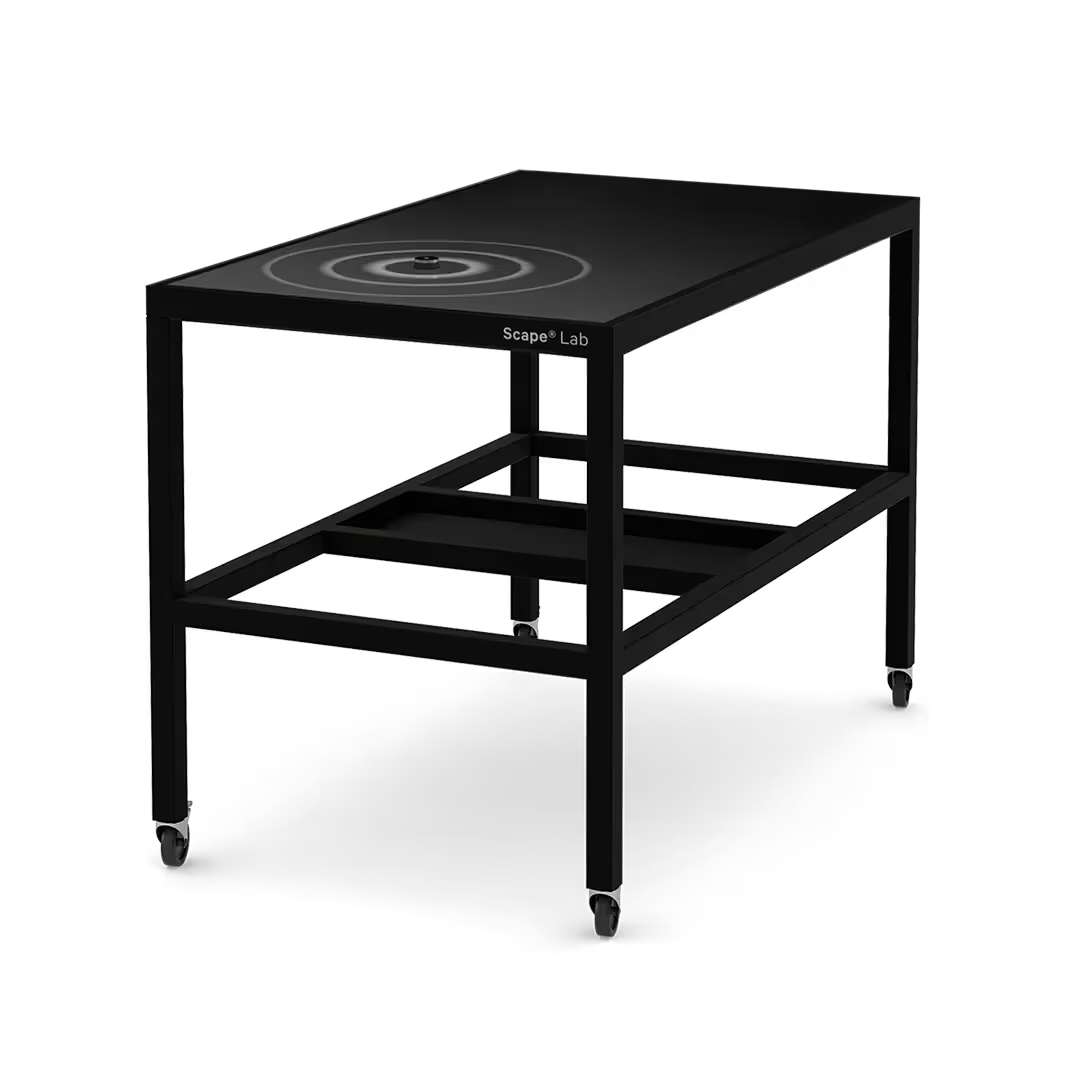
Scape® Lab 55
<div class="techspecs"><span class="techspecs-headline">Scape® Lab 55</span><span class="techspecs-text">» High-end multitouch table on rollable steel frame<br /><br />Multitouch Display<br />» Robust and precise capacitive touch technology<br />» Super High Resolution 55" UHD / 4K Display (3840x2160)<br />» P-Cap with 80 (USB) and >100 (TUIO) capacitive touch points<br /><br />Rollable Steel Frame with optional PC Holder<br />» Steel frame for Scape® Tangible 55<br />» Steel Frame powder coated RAL 9017 traffic black<br />» Mounting space for PC with max. 520 x 255 x 410 LxWxH in mm<br />» 4 castor wheels (2 lockable)<br /><br />The use of Scape X® objects also requires<br /><br />» the Scape X® Engine or the Scape X® Module<br /><br />» We are happy to advise you!<br /><br />You can find more information on this article at https://www.ias-manuals.com/sla55-008</span></div>
<div class="techspecs-root"><div class="techspecs"><div class="techspecs-content"><span class="techspecs-headline">Scape® Lab 55</span><br/><br/><span class="table-key">Article Number: </span><span class="table-value">sla55-008</span><br/><br/><span class="table-key">Dimensions (L x W x H): </span><span class="table-value">128.0 x 75.2 x 92.0 cm</span><br/><span class="table-key">Weight: </span><span class="table-value">79 kg</span><br/><span class="table-key">material: </span><span class="table-value">steel frame, powder coated, deep black RAL9005 fine structure</span><br/><br/><span class="table-headline">Features</span><br/><span class="table-key">mounting space for PC (L x W x H): </span><span class="table-value">43.0 x 25.0 x 45.0 cm</span><br/><span class="table-key">optional: </span><span class="table-value">integrated SilentPC + switchable 8-way socket outlet</span><br/><span class="table-key">Rollers: </span><span class="table-value">4 rollers (2 lockable)</span><br/><br/><span class="table-headline">Electrical Specifications</span><br/><span class="table-key">Operating voltage: </span><span class="table-value">100 - 240 VAC 50/60Hz</span><br/><span class="table-key">Power draw: </span><span class="table-value">max. 490 W</span><br/><br/><span class="table-headline">Patents</span><br/><span class="table-key">U.S. Patent No.: </span><span class="table-value">11,320,947</span><br/><span class="table-key">Pat. Reg.: </span><span class="table-value">EP 3574398 (DE, FR, UK, PT)</span><br/><span class="table-key">KR Patent No.: </span><span class="table-value">10-2566520</span><br/><span class="table-key">JP Patent No.: </span><span class="table-value">7237143</span><br/><span class="table-key">CN Patent No.: </span><span class="table-value">ZL 201880092584.6</span><br/></div><div class="techspecs-children"><div class="techspecs-child"><div class="techspecs"><div class="techspecs-content"><span class="techspecs-headline">Scape® Tangible 55</span><br/><br/><span class="table-headline">Display</span><br/><span class="table-key">Display diagonal: </span><span class="table-value">54.6 inches</span><br/><span class="table-key">Resolution: </span><span class="table-value">3840 x 2160 (UHD) @60 Hz</span><br/><span class="table-key">Format: </span><span class="table-value">16:9</span><br/><span class="table-key">Brightness (Panel): </span><span class="table-value">700 cd/m²</span><br/><span class="table-key">Contrast (Panel): </span><span class="table-value">4000:1</span><br/><span class="table-key">Backlight: </span><span class="table-value">LED</span><br/><span class="table-key">Viewing angle: </span><span class="table-value">178° / 178°</span><br/><span class="table-key">Color gamut: </span><span class="table-value">16.7 Million</span><br/><span class="table-key">Latency (on/off): </span><span class="table-value">8.5 ms</span><br/><span class="table-key">Backlight – lifetime: </span><span class="table-value">50,000 h</span><br/><span class="table-key">Pixel class: </span><span class="table-value">ISO 9241-307 (Pixel Error Class II)</span><br/><span class="table-key">Operational period: </span><span class="table-value">24/7</span><br/><span class="table-key">Max. ambient humidity Operation: </span><span class="table-value">10 ~ 90% (not condensing)</span><br/><span class="table-key">Max. ambient humidity Storage: </span><span class="table-value">10 ~ 90% (not condensing)</span><br/><span class="table-key">Max. ambient temperature Operation: </span><span class="table-value">0 ~ 35 °C / 32 ~ 95 °F</span><br/><span class="table-key">Max. ambient humidity Storage: </span><span class="table-value">-20 ~ 60 °C / -4 ~ 140 °F</span><br/><span class="table-key">Dimensions (W x H x D): </span><span class="table-value">1274 x 744 x 79.2 mm</span><br/><span class="table-key">Weight: </span><span class="table-value">49kg</span><br/><span class="table-key">Mounting: </span><span class="table-value">VESA 400x400 mm, 600x400 mm, 800x400 mm</span><br/><span class="table-key">Max. tipping angle: </span><span class="table-value">0° - 180°</span><br/><span class="table-key">Panel orientation: </span><span class="table-value">Landscape / Portrait / Flat (table)</span><br/><span class="table-key">Air flow cooling: </span><span class="table-value">0.5 m³ / min</span><br/><span class="table-key">Material: </span><span class="table-value">steel, powder-coated, matt black RAL 9005</span><br/><br/><span class="table-headline">Touch controller</span><br/><span class="table-key">Sensor: </span><span class="table-value">Projective Capacitive (PCAP) - Silver Nanowire</span><br/><span class="table-key">USB Touch: </span><span class="table-value">80 touches</span><br/><span class="table-key">TUIO Touch: </span><span class="table-value">>100 touches</span><br/><br/><span class="table-headline">Interfaces</span><br/><span class="table-key">Touch: </span><span class="table-value">HID USB / TUIO 1.1 / 2.0</span><br/><span class="table-key">Video: </span><span class="table-value">2x HDMI 2.0 / 1x DisplayPort 1.4 / 1x HDMI 1.4</span><br/><br/><span class="table-headline">Electrical specifications</span><br/><span class="table-key">Operating voltage: </span><span class="table-value">100 – 240 VAC 50/60Hz</span><br/><span class="table-key">Power draw: </span><span class="table-value">160 W</span><br/><span class="table-key">Certifications: </span><span class="table-value">CE, RoHS, FCC, BIS IS 13252(PART 1)</span><br/><br/><span class="table-headline">Patents</span><br/><span class="table-key">U.S. Patent No.: </span><span class="table-value">11,320,947</span><br/><span class="table-key">Pat. Reg.: </span><span class="table-value">EP 3574398 (DE, FR, UK, PT)</span><br/><span class="table-key">KR Patent No.: </span><span class="table-value">10-2566520</span><br/><span class="table-key">JP Patent No.: </span><span class="table-value">7237143</span><br/><span class="table-key">CN Patent No.: </span><span class="table-value">ZL 201880092584.6</span><br/></div></div></div></div></div></div>
sla65-009
Scape® Lab 65
<div class="techspecs"><span class="techspecs-headline">Scape® Lab 65</span><span class="techspecs-text">» High-end multitouch table on rollable steel frame<br /><br />Multitouch Display<br />» Robust and precise capacitive touch technology<br />» Super high-resolution 65" UHD / 4K Display (3840x2160)<br />» P-Cap with 80 (USB) and >100 (TUIO) capacitive touch points<br /><br />Rollable Steel Frame with optional PC Holder<br />» Steel frame for Scape® Tangible 65<br />» Steel Frame powder coated RAL 9017 traffic black<br />» Mounting space for PC with max. 520 x 255 x 410 LxWxH in mm<br />» 4 castor wheels (2 lockable)<br /><br />The use of Scape X® objects also requires<br /><br />» the Scape X® Engine or the Scape X® Module<br /><br />» We are happy to advise you!<br /><br />You can find more information on this article at https://www.ias-manuals.com/sla65-009</span></div>
<div class="techspecs-root"><div class="techspecs"><div class="techspecs-content"><span class="techspecs-headline">Scape® Lab 65</span><br/><br/><span class="table-key">Article Number: </span><span class="table-value">sla65-009</span><br/><br/><span class="table-key">Dimensions (L x W x H): </span><span class="table-value">152.8 x 90.3 x 92.0 cm</span><br/><span class="table-key">Weight: </span><span class="table-value">100 kg</span><br/><span class="table-key">material: </span><span class="table-value">steel frame, powder coated, deep black RAL9005 fine structure</span><br/><br/><span class="table-headline">Features</span><br/><span class="table-key">mounting space for PC (L x W x H): </span><span class="table-value">43.0 x 25.0 x 45.0 cm</span><br/><span class="table-key">optional: </span><span class="table-value">integrated SilentPC + switchable 8-way socket outlet</span><br/><span class="table-key">Rollers: </span><span class="table-value">4 rollers (2 lockable)</span><br/><br/><span class="table-headline">Electrical Specifications</span><br/><span class="table-key">Operating voltage: </span><span class="table-value">100 - 240 VAC 50/60Hz</span><br/><span class="table-key">Power draw: </span><span class="table-value">max. 560 W</span><br/><br/><span class="table-headline">Patents</span><br/><span class="table-key">U.S. Patent No.: </span><span class="table-value">11,320,947</span><br/><span class="table-key">Pat. Reg.: </span><span class="table-value">EP 3574398 (DE, FR, UK, PT)</span><br/><span class="table-key">KR Patent No.: </span><span class="table-value">10-2566520</span><br/><span class="table-key">JP Patent No.: </span><span class="table-value">7237143</span><br/><span class="table-key">CN Patent No.: </span><span class="table-value">ZL 201880092584.6</span><br/></div><div class="techspecs-children"><div class="techspecs-child"><div class="techspecs"><div class="techspecs-content"><span class="techspecs-headline">Scape® Tangible 65</span><br/><br/><span class="table-headline">Display</span><br/><span class="table-key">Display diagonal: </span><span class="table-value">64.5 inches</span><br/><span class="table-key">Resolution: </span><span class="table-value">3840 x 2160 (UHD) @60 Hz</span><br/><span class="table-key">Format: </span><span class="table-value">16:9</span><br/><span class="table-key">Brightness (Panel): </span><span class="table-value">700 cd/m²</span><br/><span class="table-key">Contrast (Panel): </span><span class="table-value">4000:1</span><br/><span class="table-key">Backlight: </span><span class="table-value">LED</span><br/><span class="table-key">Viewing angle: </span><span class="table-value">178° / 178°</span><br/><span class="table-key">Color gamut: </span><span class="table-value">16.7 million</span><br/><span class="table-key">Latency (on/off): </span><span class="table-value">8 ms</span><br/><span class="table-key">Backlight – lifetime: </span><span class="table-value">50,000 h</span><br/><span class="table-key">Pixel class: </span><span class="table-value">ISO 9241-307 (Pixel Error Class II)</span><br/><span class="table-key">Operational period: </span><span class="table-value">24/7</span><br/><span class="table-key">Max. ambient humidity Operation: </span><span class="table-value">10 ~ 90% (not condensing)</span><br/><span class="table-key">Max. ambient humidity Storage: </span><span class="table-value">10 ~ 90% (not condensing)</span><br/><span class="table-key">Max. ambient temperature Operation: </span><span class="table-value">0 ~ 35 °C / 32 ~ 95 °F</span><br/><span class="table-key">Max. ambient humidity Storage: </span><span class="table-value">-20 ~ 60 °C / -4 ~ 140 °F</span><br/><span class="table-key">Dimensions (W x H x D): </span><span class="table-value">1521,5 x 896,4 x 97 mm</span><br/><span class="table-key">Weight: </span><span class="table-value">72 kg</span><br/><span class="table-key">Mounting: </span><span class="table-value">VESA 400x400 mm, 600x400 mm, 800x400 mm</span><br/><span class="table-key">Max. tipping angle: </span><span class="table-value">0° - 180°</span><br/><span class="table-key">Panel orientation: </span><span class="table-value">Landscape / Portrait / Flat (table)</span><br/><span class="table-key">Air flow cooling: </span><span class="table-value">0.5 m³ / min</span><br/><span class="table-key">Material: </span><span class="table-value">steel, powder-coated, matt black</span><br/><br/><span class="table-headline">Touch controller</span><br/><span class="table-key">Sensor: </span><span class="table-value">Projective Capacitive (PCAP) - Silver Nanowire</span><br/><span class="table-key">USB Touch: </span><span class="table-value">80 touches</span><br/><span class="table-key">TUIO Touch: </span><span class="table-value">>100 touches</span><br/><br/><span class="table-headline">Interfaces</span><br/><span class="table-key">Touch: </span><span class="table-value">HID USB / TUIO 1.1 / 2.0</span><br/><span class="table-key">Video: </span><span class="table-value">2x HDMI 2.0 / 1x HDMI 1.4 / 1x DisplayPort 1.4</span><br/><br/><span class="table-headline">Electrical specifications</span><br/><span class="table-key">Operating voltage: </span><span class="table-value">100 – 240 VAC 50/60Hz</span><br/><span class="table-key">Power draw: </span><span class="table-value">230 W</span><br/><span class="table-key">Certifications: </span><span class="table-value">CE, RoHS, FCC</span><br/><br/><span class="table-headline">Patents</span><br/><span class="table-key">U.S. Patent No.: </span><span class="table-value">11,320,947</span><br/><span class="table-key">Pat. Reg.: </span><span class="table-value">EP 3574398 (DE, FR, UK, PT)</span><br/><span class="table-key">KR Patent No.: </span><span class="table-value">10-2566520</span><br/><span class="table-key">JP Patent No.: </span><span class="table-value">7237143</span><br/><span class="table-key">CN Patent No.: </span><span class="table-value">ZL 201880092584.6</span><br/></div></div></div><div class="techspecs-child"><div class="techspecs"><div class="techspecs-content"><span class="techspecs-headline">Tischgestell für Scape® Lab 65 | ab sla65-004</span><br/></div></div></div></div></div></div>
spr65SL-009-03
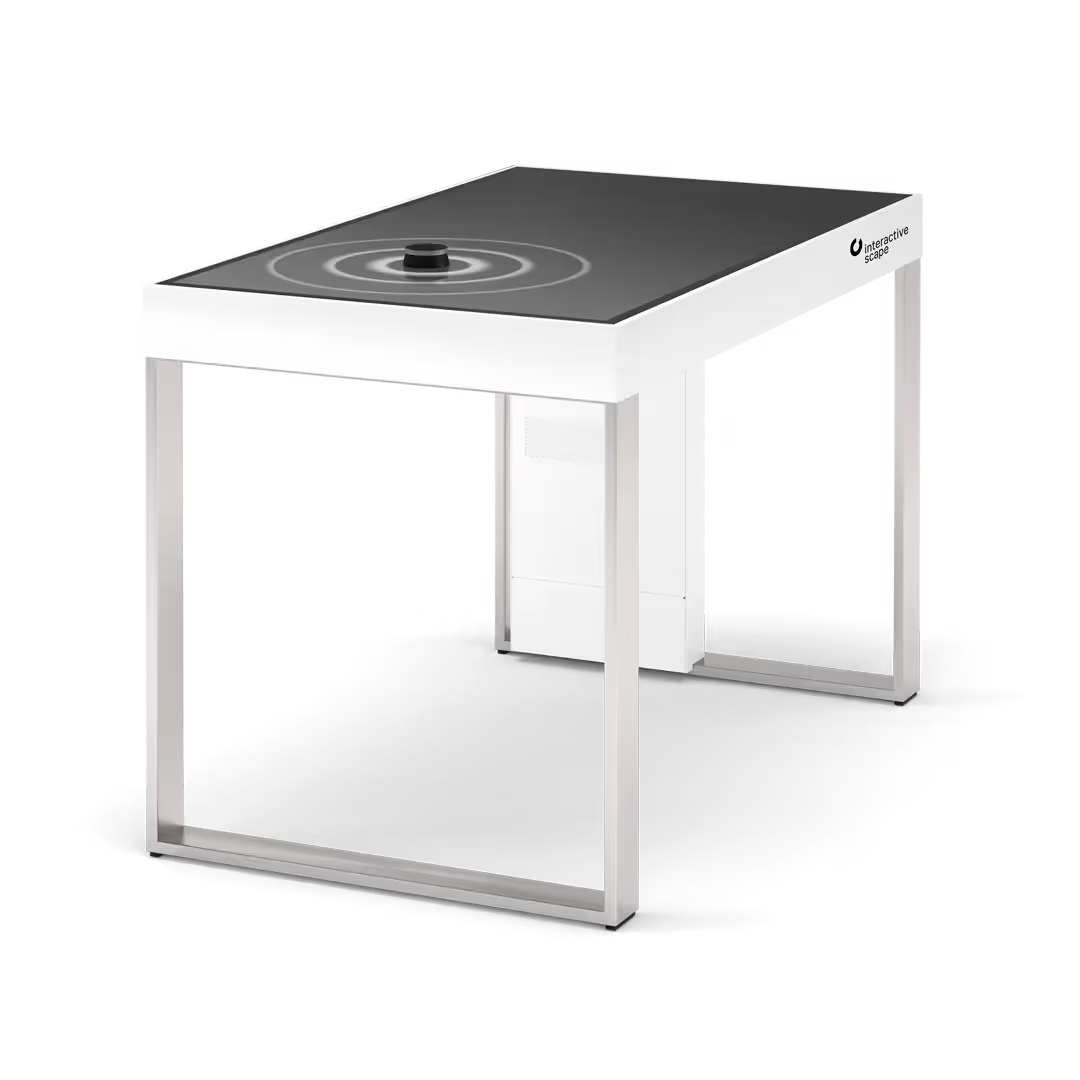
Scape® Pro 65 SL | storage possibility on one side
<div class="techspecs"><span class="techspecs-headline">Scape® Pro 65 SL | storage possibility on one side</span><span class="techspecs-text">Scape® Pro 65, storage possibility on one side<br />» Elegant high end multitouch table with stainless steel legs<br />» with storage possibility for objects on one side<br /><br />Multitouch Display<br />» Robust and precise capacitive touch technology<br />» Super high-resolution 65" UHD/4K Display (3840x2160)<br />» >100 capacitive touch points<br /><br />PC<br />» Integrated Silent PC, Windows 11<br />» Simple starting mechanism<br /><br />Table<br />» Corian white, stainless steel, aluminium<br /><br />The use of Scape X® objects also requires<br /><br />» the Scape X® Engine or the Scape X® Module<br /><br />» We are happy to advise you!<br /><br />You can find more information on this article at https://www.ias-manuals.com/spr65SL-009-03</span></div>
<div class="techspecs-root"><div class="techspecs"><div class="techspecs-content"><span class="techspecs-headline">Scape® Pro 65 SL | storage possibility on one side</span><br/><br/><span class="table-key">Article Number: </span><span class="table-value">spr65SL-009-03</span><br/><br/><span class="table-headline">Specifications</span><br/><span class="table-key">Dimensions (L x W x H): </span><span class="table-value">182.8 x 92.2 x 92.0 cm</span><br/><span class="table-key">Weight: </span><span class="table-value">140 kg</span><br/><span class="table-key">Material frame: </span><span class="table-value">Corian, Glacier White</span><br/><span class="table-key">Material legs: </span><span class="table-value">Stainless steel, brushed, K240</span><br/><span class="table-key">Integrated PC: </span><span class="table-value">Silent PC 5060</span><br/><br/><span class="table-headline">Electrical Specifications</span><br/><span class="table-key">Operating voltage: </span><span class="table-value">100 - 240 VAC 50/60Hz</span><br/><span class="table-key">Power draw: </span><span class="table-value">max. 650 W</span><br/><span class="table-key">Certifications: </span><span class="table-value">CE certified</span><br/><br/><span class="table-headline">Patents</span><br/><span class="table-key">U.S. Patent No.: </span><span class="table-value">11,320,947</span><br/><span class="table-key">Pat. Reg.: </span><span class="table-value">EP 3574398 (DE, FR, UK, PT)</span><br/><span class="table-key">KR Patent No.: </span><span class="table-value">10-2566520</span><br/><span class="table-key">JP Patent No.: </span><span class="table-value">7237143</span><br/><span class="table-key">CN Patent No.: </span><span class="table-value">ZL 201880092584.6</span><br/></div><div class="techspecs-children"><div class="techspecs-child"><div class="techspecs"><div class="techspecs-content"><span class="techspecs-headline">Scape® Tangible 65</span><br/><br/><span class="table-headline">Display</span><br/><span class="table-key">Display diagonal: </span><span class="table-value">64.5 inches</span><br/><span class="table-key">Resolution: </span><span class="table-value">3840 x 2160 (UHD) @60 Hz</span><br/><span class="table-key">Format: </span><span class="table-value">16:9</span><br/><span class="table-key">Brightness (Panel): </span><span class="table-value">700 cd/m²</span><br/><span class="table-key">Contrast (Panel): </span><span class="table-value">4000:1</span><br/><span class="table-key">Backlight: </span><span class="table-value">LED</span><br/><span class="table-key">Viewing angle: </span><span class="table-value">178° / 178°</span><br/><span class="table-key">Color gamut: </span><span class="table-value">16.7 million</span><br/><span class="table-key">Latency (on/off): </span><span class="table-value">8 ms</span><br/><span class="table-key">Backlight – lifetime: </span><span class="table-value">50,000 h</span><br/><span class="table-key">Pixel class: </span><span class="table-value">ISO 9241-307 (Pixel Error Class II)</span><br/><span class="table-key">Operational period: </span><span class="table-value">24/7</span><br/><span class="table-key">Max. ambient humidity Operation: </span><span class="table-value">10 ~ 90% (not condensing)</span><br/><span class="table-key">Max. ambient humidity Storage: </span><span class="table-value">10 ~ 90% (not condensing)</span><br/><span class="table-key">Max. ambient temperature Operation: </span><span class="table-value">0 ~ 35 °C / 32 ~ 95 °F</span><br/><span class="table-key">Max. ambient humidity Storage: </span><span class="table-value">-20 ~ 60 °C / -4 ~ 140 °F</span><br/><span class="table-key">Dimensions (W x H x D): </span><span class="table-value">1521,5 x 896,4 x 97 mm</span><br/><span class="table-key">Weight: </span><span class="table-value">72 kg</span><br/><span class="table-key">Mounting: </span><span class="table-value">VESA 400x400 mm, 600x400 mm, 800x400 mm</span><br/><span class="table-key">Max. tipping angle: </span><span class="table-value">0° - 180°</span><br/><span class="table-key">Panel orientation: </span><span class="table-value">Landscape / Portrait / Flat (table)</span><br/><span class="table-key">Air flow cooling: </span><span class="table-value">0.5 m³ / min</span><br/><span class="table-key">Material: </span><span class="table-value">steel, powder-coated, matt black</span><br/><br/><span class="table-headline">Touch controller</span><br/><span class="table-key">Sensor: </span><span class="table-value">Projective Capacitive (PCAP) - Silver Nanowire</span><br/><span class="table-key">USB Touch: </span><span class="table-value">80 touches</span><br/><span class="table-key">TUIO Touch: </span><span class="table-value">>100 touches</span><br/><br/><span class="table-headline">Interfaces</span><br/><span class="table-key">Touch: </span><span class="table-value">HID USB / TUIO 1.1 / 2.0</span><br/><span class="table-key">Video: </span><span class="table-value">2x HDMI 2.0 / 1x HDMI 1.4 / 1x DisplayPort 1.4</span><br/><br/><span class="table-headline">Electrical specifications</span><br/><span class="table-key">Operating voltage: </span><span class="table-value">100 – 240 VAC 50/60Hz</span><br/><span class="table-key">Power draw: </span><span class="table-value">230 W</span><br/><span class="table-key">Certifications: </span><span class="table-value">CE, RoHS, FCC</span><br/><br/><span class="table-headline">Patents</span><br/><span class="table-key">U.S. Patent No.: </span><span class="table-value">11,320,947</span><br/><span class="table-key">Pat. Reg.: </span><span class="table-value">EP 3574398 (DE, FR, UK, PT)</span><br/><span class="table-key">KR Patent No.: </span><span class="table-value">10-2566520</span><br/><span class="table-key">JP Patent No.: </span><span class="table-value">7237143</span><br/><span class="table-key">CN Patent No.: </span><span class="table-value">ZL 201880092584.6</span><br/></div></div></div><div class="techspecs-child"><div class="techspecs"><div class="techspecs-content"><span class="techspecs-headline">Silent PC 5060</span><br/><br/><span class="table-headline">Specifications</span><br/><span class="table-key">Processor: </span><span class="table-value">Intel Core Ultra 7-255HX 20-core 2,4 - 5,2 GHz</span><br/><span class="table-key">RAM: </span><span class="table-value">16 GB DDR5 (Dual Channel)</span><br/><span class="table-key">Hard drive: </span><span class="table-value">250 GB SSD M.2</span><br/><span class="table-key">Graphics Card: </span><span class="table-value">NVIDIA Geforce RTX 5060Ti 16GB GDDR7</span><br/><span class="table-key">Sound: </span><span class="table-value">Onboard 8 Channel Digital Audio via HDMI Mic/Speaker output</span><br/><br/><span class="table-headline">Ports</span><br/><span class="table-key">Display: </span><span class="table-value">1x HDMI 2.1b / 3x DisplayPort 2.1b</span><br/><span class="table-key">Network: </span><span class="table-value">WIFI 7 / 2x 2.5 Gbps LAN / Bluetooth 5.4</span><br/><span class="table-key">USB: </span><span class="table-value">5x USB 3.2 Gen2 Typ A, 2x Thunderbolt 4</span><br/><br/><span class="table-headline">Other</span><br/><span class="table-key">Dimensions (LxWxH): </span><span class="table-value">210 x 203 x 62.2 mm</span><br/><span class="table-key">Power Supply: </span><span class="table-value">External power supply unit</span><br/><span class="table-key">Operating voltage: </span><span class="table-value">100 – 240 VAC</span><br/><span class="table-key">Power draw: </span><span class="table-value">330 W</span><br/><span class="table-key">Operating System: </span><span class="table-value">Windows 11 Professional</span><br/><span class="table-key">Note: </span><span class="table-value">not suitable for 24/7 operation</span><br/></div></div></div></div></div></div>
spr65L-009-03
Scape® Pro 65 L | storage possibility on two sides
<div class="techspecs"><span class="techspecs-headline">Scape® Pro 65 L | storage possibility on two sides</span><span class="techspecs-text">Scape® Pro 65 Long<br />» Elegant high end Multitouch table with object recognition<br />» Side shelves for objects<br /><br />Multitouch Display<br />» Capacitive touch recognition<br />» Super high-resolution 65“ UHD/4K Display (3840x2160)<br />» 80 touchpoints capacitive<br /><br />PC<br />» Integrate Silent-PC, Windows 11<br />» Easy starting mechanism<br /><br />Table<br />» Corian white, stainless steel, aluminium<br /><br />The use of Scape X® objects also requires<br /><br />» the Scape X® Engine or the Scape X® Module<br /><br />» We are happy to advise you!<br /><br />You can find more information on this article at https://www.ias-manuals.com/spr65L-009-03</span></div>
<div class="techspecs-root"><div class="techspecs"><div class="techspecs-content"><span class="techspecs-headline">Scape® Pro 65 L | storage possibility on two sides</span><br/><br/><span class="table-key">Article Number: </span><span class="table-value">spr65L-009-03</span><br/><br/><span class="table-headline">Specifications</span><br/><span class="table-key">Dimensions (L x W x H): </span><span class="table-value">215.0 x 92.2 x 92.0 cm</span><br/><span class="table-key">Weight: </span><span class="table-value">154 kg</span><br/><span class="table-key">Material frame: </span><span class="table-value">Corian, Glacier White</span><br/><span class="table-key">Material legs: </span><span class="table-value">Stainless steel, brushed, K240</span><br/><span class="table-key">Integrated PC: </span><span class="table-value">Silent PC 5060</span><br/><br/><span class="table-headline">Electrical Specifications</span><br/><span class="table-key">Operating voltage: </span><span class="table-value">100 - 240 VAC 50/60Hz</span><br/><span class="table-key">Power draw: </span><span class="table-value">max. 650 W</span><br/><span class="table-key">Certifications: </span><span class="table-value">CE certified</span><br/><br/><span class="table-headline">Patents</span><br/><span class="table-key">U.S. Patent No.: </span><span class="table-value">11,320,947</span><br/><span class="table-key">Pat. Reg.: </span><span class="table-value">EP 3574398 (DE, FR, UK, PT)</span><br/><span class="table-key">KR Patent No.: </span><span class="table-value">10-2566520</span><br/><span class="table-key">JP Patent No.: </span><span class="table-value">7237143</span><br/><span class="table-key">CN Patent No.: </span><span class="table-value">ZL 201880092584.6</span><br/></div><div class="techspecs-children"><div class="techspecs-child"><div class="techspecs"><div class="techspecs-content"><span class="techspecs-headline">Scape® Tangible 65</span><br/><br/><span class="table-headline">Display</span><br/><span class="table-key">Display diagonal: </span><span class="table-value">64.5 inches</span><br/><span class="table-key">Resolution: </span><span class="table-value">3840 x 2160 (UHD) @60 Hz</span><br/><span class="table-key">Format: </span><span class="table-value">16:9</span><br/><span class="table-key">Brightness (Panel): </span><span class="table-value">700 cd/m²</span><br/><span class="table-key">Contrast (Panel): </span><span class="table-value">4000:1</span><br/><span class="table-key">Backlight: </span><span class="table-value">LED</span><br/><span class="table-key">Viewing angle: </span><span class="table-value">178° / 178°</span><br/><span class="table-key">Color gamut: </span><span class="table-value">16.7 million</span><br/><span class="table-key">Latency (on/off): </span><span class="table-value">8 ms</span><br/><span class="table-key">Backlight – lifetime: </span><span class="table-value">50,000 h</span><br/><span class="table-key">Pixel class: </span><span class="table-value">ISO 9241-307 (Pixel Error Class II)</span><br/><span class="table-key">Operational period: </span><span class="table-value">24/7</span><br/><span class="table-key">Max. ambient humidity Operation: </span><span class="table-value">10 ~ 90% (not condensing)</span><br/><span class="table-key">Max. ambient humidity Storage: </span><span class="table-value">10 ~ 90% (not condensing)</span><br/><span class="table-key">Max. ambient temperature Operation: </span><span class="table-value">0 ~ 35 °C / 32 ~ 95 °F</span><br/><span class="table-key">Max. ambient humidity Storage: </span><span class="table-value">-20 ~ 60 °C / -4 ~ 140 °F</span><br/><span class="table-key">Dimensions (W x H x D): </span><span class="table-value">1521,5 x 896,4 x 97 mm</span><br/><span class="table-key">Weight: </span><span class="table-value">72 kg</span><br/><span class="table-key">Mounting: </span><span class="table-value">VESA 400x400 mm, 600x400 mm, 800x400 mm</span><br/><span class="table-key">Max. tipping angle: </span><span class="table-value">0° - 180°</span><br/><span class="table-key">Panel orientation: </span><span class="table-value">Landscape / Portrait / Flat (table)</span><br/><span class="table-key">Air flow cooling: </span><span class="table-value">0.5 m³ / min</span><br/><span class="table-key">Material: </span><span class="table-value">steel, powder-coated, matt black</span><br/><br/><span class="table-headline">Touch controller</span><br/><span class="table-key">Sensor: </span><span class="table-value">Projective Capacitive (PCAP) - Silver Nanowire</span><br/><span class="table-key">USB Touch: </span><span class="table-value">80 touches</span><br/><span class="table-key">TUIO Touch: </span><span class="table-value">>100 touches</span><br/><br/><span class="table-headline">Interfaces</span><br/><span class="table-key">Touch: </span><span class="table-value">HID USB / TUIO 1.1 / 2.0</span><br/><span class="table-key">Video: </span><span class="table-value">2x HDMI 2.0 / 1x HDMI 1.4 / 1x DisplayPort 1.4</span><br/><br/><span class="table-headline">Electrical specifications</span><br/><span class="table-key">Operating voltage: </span><span class="table-value">100 – 240 VAC 50/60Hz</span><br/><span class="table-key">Power draw: </span><span class="table-value">230 W</span><br/><span class="table-key">Certifications: </span><span class="table-value">CE, RoHS, FCC</span><br/><br/><span class="table-headline">Patents</span><br/><span class="table-key">U.S. Patent No.: </span><span class="table-value">11,320,947</span><br/><span class="table-key">Pat. Reg.: </span><span class="table-value">EP 3574398 (DE, FR, UK, PT)</span><br/><span class="table-key">KR Patent No.: </span><span class="table-value">10-2566520</span><br/><span class="table-key">JP Patent No.: </span><span class="table-value">7237143</span><br/><span class="table-key">CN Patent No.: </span><span class="table-value">ZL 201880092584.6</span><br/></div></div></div><div class="techspecs-child"><div class="techspecs"><div class="techspecs-content"><span class="techspecs-headline">Silent PC 5060</span><br/><br/><span class="table-headline">Specifications</span><br/><span class="table-key">Processor: </span><span class="table-value">Intel Core Ultra 7-255HX 20-core 2,4 - 5,2 GHz</span><br/><span class="table-key">RAM: </span><span class="table-value">16 GB DDR5 (Dual Channel)</span><br/><span class="table-key">Hard drive: </span><span class="table-value">250 GB SSD M.2</span><br/><span class="table-key">Graphics Card: </span><span class="table-value">NVIDIA Geforce RTX 5060Ti 16GB GDDR7</span><br/><span class="table-key">Sound: </span><span class="table-value">Onboard 8 Channel Digital Audio via HDMI Mic/Speaker output</span><br/><br/><span class="table-headline">Ports</span><br/><span class="table-key">Display: </span><span class="table-value">1x HDMI 2.1b / 3x DisplayPort 2.1b</span><br/><span class="table-key">Network: </span><span class="table-value">WIFI 7 / 2x 2.5 Gbps LAN / Bluetooth 5.4</span><br/><span class="table-key">USB: </span><span class="table-value">5x USB 3.2 Gen2 Typ A, 2x Thunderbolt 4</span><br/><br/><span class="table-headline">Other</span><br/><span class="table-key">Dimensions (LxWxH): </span><span class="table-value">210 x 203 x 62.2 mm</span><br/><span class="table-key">Power Supply: </span><span class="table-value">External power supply unit</span><br/><span class="table-key">Operating voltage: </span><span class="table-value">100 – 240 VAC</span><br/><span class="table-key">Power draw: </span><span class="table-value">330 W</span><br/><span class="table-key">Operating System: </span><span class="table-value">Windows 11 Professional</span><br/><span class="table-key">Note: </span><span class="table-value">not suitable for 24/7 operation</span><br/></div></div></div></div></div></div>
spr65-009-03
Scape® Pro 65
<div class="techspecs"><span class="techspecs-headline">Scape® Pro 65</span><span class="techspecs-text">» Elegant high end multitouch table with stainless steel legs<br /><br />Multitouch Display<br />» Robust and precise capacitive touch technology<br />» Super high-resolution 65" UHD/4K Display (3840x2160)<br />» 80 capacitive touch points<br /><br />PC<br />» Integrated Silent PC, Windows 11<br />» Simple starting mechanism<br /><br />Table<br />» Corian white, stainless steel, aluminium<br /><br />The use of Scape X® objects also requires<br /><br />» the Scape X® Engine or the Scape X® Module<br /><br />» We are happy to advise you!<br /><br />You can find more information on this article at https://www.ias-manuals.com/spr65-009-03</span></div>
<div class="techspecs-root"><div class="techspecs"><div class="techspecs-content"><span class="techspecs-headline">Scape® Pro 65</span><br/><br/><span class="table-key">Article Number: </span><span class="table-value">spr65-009-03</span><br/><br/><span class="table-headline">Specifications</span><br/><span class="table-key">Dimensions (L x W x H): </span><span class="table-value">154.7 x 92.2 x 92.0 cm</span><br/><span class="table-key">Weight: </span><span class="table-value">126 kg</span><br/><span class="table-key">Material frame: </span><span class="table-value">Corian, Glacier White</span><br/><span class="table-key">Material legs: </span><span class="table-value">Stainless steel, brushed, K240</span><br/><span class="table-key">Integrated PC: </span><span class="table-value">Silent PC 5060</span><br/><br/><span class="table-headline">Electrical Specifications</span><br/><span class="table-key">Operating voltage: </span><span class="table-value">100 - 240 VAC 50/60Hz</span><br/><span class="table-key">Power draw: </span><span class="table-value">max. 650 W</span><br/><span class="table-key">Certification: </span><span class="table-value">CE certified</span><br/><br/><span class="table-headline">Patents</span><br/><span class="table-key">U.S. Patent No.: </span><span class="table-value">11,320,947</span><br/><span class="table-key">Pat. Reg.: </span><span class="table-value">EP 3574398 (DE, FR, UK, PT)</span><br/><span class="table-key">KR Patent No.: </span><span class="table-value">10-2566520</span><br/><span class="table-key">JP Patent No.: </span><span class="table-value">7237143</span><br/><span class="table-key">CN Patent No.: </span><span class="table-value">ZL 201880092584.6</span><br/></div><div class="techspecs-children"><div class="techspecs-child"><div class="techspecs"><div class="techspecs-content"><span class="techspecs-headline">Scape® Tangible 65</span><br/><br/><span class="table-headline">Display</span><br/><span class="table-key">Display diagonal: </span><span class="table-value">64.5 inches</span><br/><span class="table-key">Resolution: </span><span class="table-value">3840 x 2160 (UHD) @60 Hz</span><br/><span class="table-key">Format: </span><span class="table-value">16:9</span><br/><span class="table-key">Brightness (Panel): </span><span class="table-value">700 cd/m²</span><br/><span class="table-key">Contrast (Panel): </span><span class="table-value">4000:1</span><br/><span class="table-key">Backlight: </span><span class="table-value">LED</span><br/><span class="table-key">Viewing angle: </span><span class="table-value">178° / 178°</span><br/><span class="table-key">Color gamut: </span><span class="table-value">16.7 million</span><br/><span class="table-key">Latency (on/off): </span><span class="table-value">8 ms</span><br/><span class="table-key">Backlight – lifetime: </span><span class="table-value">50,000 h</span><br/><span class="table-key">Pixel class: </span><span class="table-value">ISO 9241-307 (Pixel Error Class II)</span><br/><span class="table-key">Operational period: </span><span class="table-value">24/7</span><br/><span class="table-key">Max. ambient humidity Operation: </span><span class="table-value">10 ~ 90% (not condensing)</span><br/><span class="table-key">Max. ambient humidity Storage: </span><span class="table-value">10 ~ 90% (not condensing)</span><br/><span class="table-key">Max. ambient temperature Operation: </span><span class="table-value">0 ~ 35 °C / 32 ~ 95 °F</span><br/><span class="table-key">Max. ambient humidity Storage: </span><span class="table-value">-20 ~ 60 °C / -4 ~ 140 °F</span><br/><span class="table-key">Dimensions (W x H x D): </span><span class="table-value">1521,5 x 896,4 x 97 mm</span><br/><span class="table-key">Weight: </span><span class="table-value">72 kg</span><br/><span class="table-key">Mounting: </span><span class="table-value">VESA 400x400 mm, 600x400 mm, 800x400 mm</span><br/><span class="table-key">Max. tipping angle: </span><span class="table-value">0° - 180°</span><br/><span class="table-key">Panel orientation: </span><span class="table-value">Landscape / Portrait / Flat (table)</span><br/><span class="table-key">Air flow cooling: </span><span class="table-value">0.5 m³ / min</span><br/><span class="table-key">Material: </span><span class="table-value">steel, powder-coated, matt black</span><br/><br/><span class="table-headline">Touch controller</span><br/><span class="table-key">Sensor: </span><span class="table-value">Projective Capacitive (PCAP) - Silver Nanowire</span><br/><span class="table-key">USB Touch: </span><span class="table-value">80 touches</span><br/><span class="table-key">TUIO Touch: </span><span class="table-value">>100 touches</span><br/><br/><span class="table-headline">Interfaces</span><br/><span class="table-key">Touch: </span><span class="table-value">HID USB / TUIO 1.1 / 2.0</span><br/><span class="table-key">Video: </span><span class="table-value">2x HDMI 2.0 / 1x HDMI 1.4 / 1x DisplayPort 1.4</span><br/><br/><span class="table-headline">Electrical specifications</span><br/><span class="table-key">Operating voltage: </span><span class="table-value">100 – 240 VAC 50/60Hz</span><br/><span class="table-key">Power draw: </span><span class="table-value">230 W</span><br/><span class="table-key">Certifications: </span><span class="table-value">CE, RoHS, FCC</span><br/><br/><span class="table-headline">Patents</span><br/><span class="table-key">U.S. Patent No.: </span><span class="table-value">11,320,947</span><br/><span class="table-key">Pat. Reg.: </span><span class="table-value">EP 3574398 (DE, FR, UK, PT)</span><br/><span class="table-key">KR Patent No.: </span><span class="table-value">10-2566520</span><br/><span class="table-key">JP Patent No.: </span><span class="table-value">7237143</span><br/><span class="table-key">CN Patent No.: </span><span class="table-value">ZL 201880092584.6</span><br/></div></div></div><div class="techspecs-child"><div class="techspecs"><div class="techspecs-content"><span class="techspecs-headline">Silent PC 5060</span><br/><br/><span class="table-headline">Specifications</span><br/><span class="table-key">Processor: </span><span class="table-value">Intel Core Ultra 7-255HX 20-core 2,4 - 5,2 GHz</span><br/><span class="table-key">RAM: </span><span class="table-value">16 GB DDR5 (Dual Channel)</span><br/><span class="table-key">Hard drive: </span><span class="table-value">250 GB SSD M.2</span><br/><span class="table-key">Graphics Card: </span><span class="table-value">NVIDIA Geforce RTX 5060Ti 16GB GDDR7</span><br/><span class="table-key">Sound: </span><span class="table-value">Onboard 8 Channel Digital Audio via HDMI Mic/Speaker output</span><br/><br/><span class="table-headline">Ports</span><br/><span class="table-key">Display: </span><span class="table-value">1x HDMI 2.1b / 3x DisplayPort 2.1b</span><br/><span class="table-key">Network: </span><span class="table-value">WIFI 7 / 2x 2.5 Gbps LAN / Bluetooth 5.4</span><br/><span class="table-key">USB: </span><span class="table-value">5x USB 3.2 Gen2 Typ A, 2x Thunderbolt 4</span><br/><br/><span class="table-headline">Other</span><br/><span class="table-key">Dimensions (LxWxH): </span><span class="table-value">210 x 203 x 62.2 mm</span><br/><span class="table-key">Power Supply: </span><span class="table-value">External power supply unit</span><br/><span class="table-key">Operating voltage: </span><span class="table-value">100 – 240 VAC</span><br/><span class="table-key">Power draw: </span><span class="table-value">330 W</span><br/><span class="table-key">Operating System: </span><span class="table-value">Windows 11 Professional</span><br/><span class="table-key">Note: </span><span class="table-value">not suitable for 24/7 operation</span><br/></div></div></div></div></div></div>
spr55-008-03
Scape® Pro 55
<div class="techspecs"><span class="techspecs-headline">Scape® Pro 55</span><span class="techspecs-text">» Elegant high end multitouch table with stainless steel legs<br /><br />Multitouch Display<br />» Robust and precise capacitive touch technology<br />» Super high-resolution 55" UHD/4K Display (3840x2160)<br />» 80 capacitive touch points<br /><br />PC<br />» Integrated Silent PC, Windows 11<br />» Simple starting mechanism<br /><br />Table<br />» Corian white, stainless steel, aluminium<br /><br />The use of Scape X® objects also requires<br /><br />» the Scape X® Engine or the Scape X® Module<br /><br />» We are happy to advise you!<br /><br />You can find more information on this article at https://www.ias-manuals.com/spr55-008-03</span></div>
<div class="techspecs-root"><div class="techspecs"><div class="techspecs-content"><span class="techspecs-headline">Scape® Pro 55</span><br/><br/><span class="table-key">Article Number: </span><span class="table-value">spr55-008-03</span><br/><br/><span class="table-headline">Specifications</span><br/><span class="table-key">Dimensions (L x W x H): </span><span class="table-value">130.0 x 77.0 x 92.0 cm</span><br/><span class="table-key">Weight: </span><span class="table-value">99 kg</span><br/><span class="table-key">Material frame: </span><span class="table-value">Corian, Glacier White</span><br/><span class="table-key">Material legs: </span><span class="table-value">Stainless steel, brushed, K240</span><br/><span class="table-key">Integrated PC: </span><span class="table-value">Silent PC 5060</span><br/><br/><span class="table-headline">Electrical Specifications</span><br/><span class="table-key">Operating voltage: </span><span class="table-value">100 - 240 VAC 50/60Hz</span><br/><span class="table-key">Power draw: </span><span class="table-value">max. 490 W</span><br/><span class="table-key">Certifications: </span><span class="table-value">CE certified</span><br/><br/><span class="table-headline">Patents</span><br/><span class="table-key">U.S. Patent No.: </span><span class="table-value">11,320,947</span><br/><span class="table-key">Pat. Reg.: </span><span class="table-value">EP 3574398 (DE, FR, UK, PT)</span><br/><span class="table-key">KR Patent No.: </span><span class="table-value">10-2566520</span><br/><span class="table-key">JP Patent No.: </span><span class="table-value">7237143</span><br/><span class="table-key">CN Patent No.: </span><span class="table-value">ZL 201880092584.6</span><br/></div><div class="techspecs-children"><div class="techspecs-child"><div class="techspecs"><div class="techspecs-content"><span class="techspecs-headline">Scape® Tangible 55</span><br/><br/><span class="table-headline">Display</span><br/><span class="table-key">Display diagonal: </span><span class="table-value">54.6 inches</span><br/><span class="table-key">Resolution: </span><span class="table-value">3840 x 2160 (UHD) @60 Hz</span><br/><span class="table-key">Format: </span><span class="table-value">16:9</span><br/><span class="table-key">Brightness (Panel): </span><span class="table-value">700 cd/m²</span><br/><span class="table-key">Contrast (Panel): </span><span class="table-value">4000:1</span><br/><span class="table-key">Backlight: </span><span class="table-value">LED</span><br/><span class="table-key">Viewing angle: </span><span class="table-value">178° / 178°</span><br/><span class="table-key">Color gamut: </span><span class="table-value">16.7 Million</span><br/><span class="table-key">Latency (on/off): </span><span class="table-value">8.5 ms</span><br/><span class="table-key">Backlight – lifetime: </span><span class="table-value">50,000 h</span><br/><span class="table-key">Pixel class: </span><span class="table-value">ISO 9241-307 (Pixel Error Class II)</span><br/><span class="table-key">Operational period: </span><span class="table-value">24/7</span><br/><span class="table-key">Max. ambient humidity Operation: </span><span class="table-value">10 ~ 90% (not condensing)</span><br/><span class="table-key">Max. ambient humidity Storage: </span><span class="table-value">10 ~ 90% (not condensing)</span><br/><span class="table-key">Max. ambient temperature Operation: </span><span class="table-value">0 ~ 35 °C / 32 ~ 95 °F</span><br/><span class="table-key">Max. ambient humidity Storage: </span><span class="table-value">-20 ~ 60 °C / -4 ~ 140 °F</span><br/><span class="table-key">Dimensions (W x H x D): </span><span class="table-value">1274 x 744 x 79.2 mm</span><br/><span class="table-key">Weight: </span><span class="table-value">49kg</span><br/><span class="table-key">Mounting: </span><span class="table-value">VESA 400x400 mm, 600x400 mm, 800x400 mm</span><br/><span class="table-key">Max. tipping angle: </span><span class="table-value">0° - 180°</span><br/><span class="table-key">Panel orientation: </span><span class="table-value">Landscape / Portrait / Flat (table)</span><br/><span class="table-key">Air flow cooling: </span><span class="table-value">0.5 m³ / min</span><br/><span class="table-key">Material: </span><span class="table-value">steel, powder-coated, matt black RAL 9005</span><br/><br/><span class="table-headline">Touch controller</span><br/><span class="table-key">Sensor: </span><span class="table-value">Projective Capacitive (PCAP) - Silver Nanowire</span><br/><span class="table-key">USB Touch: </span><span class="table-value">80 touches</span><br/><span class="table-key">TUIO Touch: </span><span class="table-value">>100 touches</span><br/><br/><span class="table-headline">Interfaces</span><br/><span class="table-key">Touch: </span><span class="table-value">HID USB / TUIO 1.1 / 2.0</span><br/><span class="table-key">Video: </span><span class="table-value">2x HDMI 2.0 / 1x DisplayPort 1.4 / 1x HDMI 1.4</span><br/><br/><span class="table-headline">Electrical specifications</span><br/><span class="table-key">Operating voltage: </span><span class="table-value">100 – 240 VAC 50/60Hz</span><br/><span class="table-key">Power draw: </span><span class="table-value">160 W</span><br/><span class="table-key">Certifications: </span><span class="table-value">CE, RoHS, FCC, BIS IS 13252(PART 1)</span><br/><br/><span class="table-headline">Patents</span><br/><span class="table-key">U.S. Patent No.: </span><span class="table-value">11,320,947</span><br/><span class="table-key">Pat. Reg.: </span><span class="table-value">EP 3574398 (DE, FR, UK, PT)</span><br/><span class="table-key">KR Patent No.: </span><span class="table-value">10-2566520</span><br/><span class="table-key">JP Patent No.: </span><span class="table-value">7237143</span><br/><span class="table-key">CN Patent No.: </span><span class="table-value">ZL 201880092584.6</span><br/></div></div></div><div class="techspecs-child"><div class="techspecs"><div class="techspecs-content"><span class="techspecs-headline">Silent PC 5060</span><br/><br/><span class="table-headline">Specifications</span><br/><span class="table-key">Processor: </span><span class="table-value">Intel Core Ultra 7-255HX 20-core 2,4 - 5,2 GHz</span><br/><span class="table-key">RAM: </span><span class="table-value">16 GB DDR5 (Dual Channel)</span><br/><span class="table-key">Hard drive: </span><span class="table-value">250 GB SSD M.2</span><br/><span class="table-key">Graphics Card: </span><span class="table-value">NVIDIA Geforce RTX 5060Ti 16GB GDDR7</span><br/><span class="table-key">Sound: </span><span class="table-value">Onboard 8 Channel Digital Audio via HDMI Mic/Speaker output</span><br/><br/><span class="table-headline">Ports</span><br/><span class="table-key">Display: </span><span class="table-value">1x HDMI 2.1b / 3x DisplayPort 2.1b</span><br/><span class="table-key">Network: </span><span class="table-value">WIFI 7 / 2x 2.5 Gbps LAN / Bluetooth 5.4</span><br/><span class="table-key">USB: </span><span class="table-value">5x USB 3.2 Gen2 Typ A, 2x Thunderbolt 4</span><br/><br/><span class="table-headline">Other</span><br/><span class="table-key">Dimensions (LxWxH): </span><span class="table-value">210 x 203 x 62.2 mm</span><br/><span class="table-key">Power Supply: </span><span class="table-value">External power supply unit</span><br/><span class="table-key">Operating voltage: </span><span class="table-value">100 – 240 VAC</span><br/><span class="table-key">Power draw: </span><span class="table-value">330 W</span><br/><span class="table-key">Operating System: </span><span class="table-value">Windows 11 Professional</span><br/><span class="table-key">Note: </span><span class="table-value">not suitable for 24/7 operation</span><br/></div></div></div></div></div></div>
spr55L-008-03
Scape® Pro 55 L | storage possibility on two sides
<div class="techspecs"><span class="techspecs-headline">Scape® Pro 55 L | storage possibility on two sides</span><span class="techspecs-text">» Elegant high end multitouch table with stainless steel frame legs<br />» with storage possibility for objects on two sides<br /><br />Multitouch Display<br />» Robust and precise capacitive touch technology<br />» Super high-resolution 55" UHD/4K Display (3840x2160)<br />» 80 capacitive touch points<br /><br />PC<br />» Integrated Silent PC, Windows 11<br />» Simple starting mechanism<br /><br />Table<br />» Corian white, white frame legs, aluminium<br /><br />The use of Scape X® objects also requires<br /><br />» the Scape X® Engine or the Scape X® Module<br /><br />» We are happy to advise you!<br /><br />Mehr Informationen zu diesem Artikel finden Sie unter https://www.ias-manuals.com/spr55L-008-03</span></div>
<div class="techspecs-root"><div class="techspecs"><div class="techspecs-content"><span class="techspecs-headline">Scape® Pro 55 L | storage possibility on two sides</span><br/><br/><span class="table-key">Article Number: </span><span class="table-value">spr55L-008-03</span><br/><br/><span class="table-headline">Specifications</span><br/><span class="table-key">Dimensions (L x W x H): </span><span class="table-value">168.6 x 77.0 x 92.0 cm</span><br/><span class="table-key">Weight: </span><span class="table-value">115 kg</span><br/><span class="table-key">Material frame: </span><span class="table-value">Corian, Glacier White</span><br/><span class="table-key">Material legs: </span><span class="table-value">Stainless steel, brushed, K240</span><br/><span class="table-key">Integrated PC: </span><span class="table-value">Silent PC 5060</span><br/><br/><span class="table-headline">Electrical Specifications</span><br/><span class="table-key">Operating voltage: </span><span class="table-value">100 - 240 VAC 50/60Hz</span><br/><span class="table-key">Power draw: </span><span class="table-value">max. 490 W</span><br/><span class="table-key">Certifications: </span><span class="table-value">CE certified</span><br/><br/><span class="table-headline">Patents</span><br/><span class="table-key">U.S. Patent No.: </span><span class="table-value">11,320,947</span><br/><span class="table-key">Pat. Reg.: </span><span class="table-value">EP 3574398 (DE, FR, UK, PT)</span><br/><span class="table-key">KR Patent No.: </span><span class="table-value">10-2566520</span><br/><span class="table-key">JP Patent No.: </span><span class="table-value">7237143</span><br/><span class="table-key">CN Patent No.: </span><span class="table-value">ZL 201880092584.6</span><br/></div><div class="techspecs-children"><div class="techspecs-child"><div class="techspecs"><div class="techspecs-content"><span class="techspecs-headline">Scape® Tangible 55</span><br/><br/><span class="table-headline">Display</span><br/><span class="table-key">Display diagonal: </span><span class="table-value">54.6 inches</span><br/><span class="table-key">Resolution: </span><span class="table-value">3840 x 2160 (UHD) @60 Hz</span><br/><span class="table-key">Format: </span><span class="table-value">16:9</span><br/><span class="table-key">Brightness (Panel): </span><span class="table-value">700 cd/m²</span><br/><span class="table-key">Contrast (Panel): </span><span class="table-value">4000:1</span><br/><span class="table-key">Backlight: </span><span class="table-value">LED</span><br/><span class="table-key">Viewing angle: </span><span class="table-value">178° / 178°</span><br/><span class="table-key">Color gamut: </span><span class="table-value">16.7 Million</span><br/><span class="table-key">Latency (on/off): </span><span class="table-value">8.5 ms</span><br/><span class="table-key">Backlight – lifetime: </span><span class="table-value">50,000 h</span><br/><span class="table-key">Pixel class: </span><span class="table-value">ISO 9241-307 (Pixel Error Class II)</span><br/><span class="table-key">Operational period: </span><span class="table-value">24/7</span><br/><span class="table-key">Max. ambient humidity Operation: </span><span class="table-value">10 ~ 90% (not condensing)</span><br/><span class="table-key">Max. ambient humidity Storage: </span><span class="table-value">10 ~ 90% (not condensing)</span><br/><span class="table-key">Max. ambient temperature Operation: </span><span class="table-value">0 ~ 35 °C / 32 ~ 95 °F</span><br/><span class="table-key">Max. ambient humidity Storage: </span><span class="table-value">-20 ~ 60 °C / -4 ~ 140 °F</span><br/><span class="table-key">Dimensions (W x H x D): </span><span class="table-value">1274 x 744 x 79.2 mm</span><br/><span class="table-key">Weight: </span><span class="table-value">49kg</span><br/><span class="table-key">Mounting: </span><span class="table-value">VESA 400x400 mm, 600x400 mm, 800x400 mm</span><br/><span class="table-key">Max. tipping angle: </span><span class="table-value">0° - 180°</span><br/><span class="table-key">Panel orientation: </span><span class="table-value">Landscape / Portrait / Flat (table)</span><br/><span class="table-key">Air flow cooling: </span><span class="table-value">0.5 m³ / min</span><br/><span class="table-key">Material: </span><span class="table-value">steel, powder-coated, matt black RAL 9005</span><br/><br/><span class="table-headline">Touch controller</span><br/><span class="table-key">Sensor: </span><span class="table-value">Projective Capacitive (PCAP) - Silver Nanowire</span><br/><span class="table-key">USB Touch: </span><span class="table-value">80 touches</span><br/><span class="table-key">TUIO Touch: </span><span class="table-value">>100 touches</span><br/><br/><span class="table-headline">Interfaces</span><br/><span class="table-key">Touch: </span><span class="table-value">HID USB / TUIO 1.1 / 2.0</span><br/><span class="table-key">Video: </span><span class="table-value">2x HDMI 2.0 / 1x DisplayPort 1.4 / 1x HDMI 1.4</span><br/><br/><span class="table-headline">Electrical specifications</span><br/><span class="table-key">Operating voltage: </span><span class="table-value">100 – 240 VAC 50/60Hz</span><br/><span class="table-key">Power draw: </span><span class="table-value">160 W</span><br/><span class="table-key">Certifications: </span><span class="table-value">CE, RoHS, FCC, BIS IS 13252(PART 1)</span><br/><br/><span class="table-headline">Patents</span><br/><span class="table-key">U.S. Patent No.: </span><span class="table-value">11,320,947</span><br/><span class="table-key">Pat. Reg.: </span><span class="table-value">EP 3574398 (DE, FR, UK, PT)</span><br/><span class="table-key">KR Patent No.: </span><span class="table-value">10-2566520</span><br/><span class="table-key">JP Patent No.: </span><span class="table-value">7237143</span><br/><span class="table-key">CN Patent No.: </span><span class="table-value">ZL 201880092584.6</span><br/></div></div></div><div class="techspecs-child"><div class="techspecs"><div class="techspecs-content"><span class="techspecs-headline">Silent PC 5060</span><br/><br/><span class="table-headline">Specifications</span><br/><span class="table-key">Processor: </span><span class="table-value">Intel Core Ultra 7-255HX 20-core 2,4 - 5,2 GHz</span><br/><span class="table-key">RAM: </span><span class="table-value">16 GB DDR5 (Dual Channel)</span><br/><span class="table-key">Hard drive: </span><span class="table-value">250 GB SSD M.2</span><br/><span class="table-key">Graphics Card: </span><span class="table-value">NVIDIA Geforce RTX 5060Ti 16GB GDDR7</span><br/><span class="table-key">Sound: </span><span class="table-value">Onboard 8 Channel Digital Audio via HDMI Mic/Speaker output</span><br/><br/><span class="table-headline">Ports</span><br/><span class="table-key">Display: </span><span class="table-value">1x HDMI 2.1b / 3x DisplayPort 2.1b</span><br/><span class="table-key">Network: </span><span class="table-value">WIFI 7 / 2x 2.5 Gbps LAN / Bluetooth 5.4</span><br/><span class="table-key">USB: </span><span class="table-value">5x USB 3.2 Gen2 Typ A, 2x Thunderbolt 4</span><br/><br/><span class="table-headline">Other</span><br/><span class="table-key">Dimensions (LxWxH): </span><span class="table-value">210 x 203 x 62.2 mm</span><br/><span class="table-key">Power Supply: </span><span class="table-value">External power supply unit</span><br/><span class="table-key">Operating voltage: </span><span class="table-value">100 – 240 VAC</span><br/><span class="table-key">Power draw: </span><span class="table-value">330 W</span><br/><span class="table-key">Operating System: </span><span class="table-value">Windows 11 Professional</span><br/><span class="table-key">Note: </span><span class="table-value">not suitable for 24/7 operation</span><br/></div></div></div></div></div></div>
spr55SL-008-03
Scape® Pro 55 SL | storage possibility on one side
<div class="techspecs"><span class="techspecs-headline">Scape® Pro 55 SL | storage possibility on one side</span><span class="techspecs-text">» Elegant high end multitouch table with stainless steel frame legs<br />» with storage possibility for objects on one side<br /><br />Multitouch Display<br />» Robust and precise capacitive touch technology<br />» Super high-resolution 55" UHD/4K Display (3840x2160)<br />» 80 capacitive touch points<br /><br />PC<br />» Integrated Silent PC, Windows 11<br />» Simple starting mechanism<br /><br />Table<br />» Corian white, stainless steel frame legs, aluminium<br /><br />The use of Scape X® objects also requires<br /><br />» the Scape X® Engine or the Scape X® Module<br /><br />» We are happy to advise you!<br /><br />You can find more information on this article at https://www.ias-manuals.com/spr55SL-008-03</span></div>
<div class="techspecs-root"><div class="techspecs"><div class="techspecs-content"><span class="techspecs-headline">Scape® Pro 55 SL | storage possibility on one side</span><br/><br/><span class="table-key">Article Number: </span><span class="table-value">spr55SL-008-03</span><br/><br/><span class="table-headline">Specifications</span><br/><span class="table-key">Dimensions (L x W x H): </span><span class="table-value">152.9 x 77.0 x 92.0 cm</span><br/><span class="table-key">Weight: </span><span class="table-value">106 kg</span><br/><span class="table-key">Material frame: </span><span class="table-value">Corian, Glacier White</span><br/><span class="table-key">Material legs: </span><span class="table-value">Stainless steel, brushed, K240</span><br/><span class="table-key">Integrated PC: </span><span class="table-value">Silent PC 5060</span><br/><br/><span class="table-headline">Electrical Specifications</span><br/><span class="table-key">Operating voltage: </span><span class="table-value">100 - 240 VAC 50/60Hz</span><br/><span class="table-key">Power draw: </span><span class="table-value">max. 490 W</span><br/><span class="table-key">Certifications: </span><span class="table-value">CE certified</span><br/><br/><span class="table-headline">Patents</span><br/><span class="table-key">U.S. Patent No.: </span><span class="table-value">11,320,947</span><br/><span class="table-key">Pat. Reg.: </span><span class="table-value">EP 3574398 (DE, FR, UK, PT)</span><br/><span class="table-key">KR Patent No.: </span><span class="table-value">10-2566520</span><br/><span class="table-key">JP Patent No.: </span><span class="table-value">7237143</span><br/><span class="table-key">CN Patent No.: </span><span class="table-value">ZL 201880092584.6</span><br/></div><div class="techspecs-children"><div class="techspecs-child"><div class="techspecs"><div class="techspecs-content"><span class="techspecs-headline">Scape® Tangible 55</span><br/><br/><span class="table-headline">Display</span><br/><span class="table-key">Display diagonal: </span><span class="table-value">54.6 inches</span><br/><span class="table-key">Resolution: </span><span class="table-value">3840 x 2160 (UHD) @60 Hz</span><br/><span class="table-key">Format: </span><span class="table-value">16:9</span><br/><span class="table-key">Brightness (Panel): </span><span class="table-value">700 cd/m²</span><br/><span class="table-key">Contrast (Panel): </span><span class="table-value">4000:1</span><br/><span class="table-key">Backlight: </span><span class="table-value">LED</span><br/><span class="table-key">Viewing angle: </span><span class="table-value">178° / 178°</span><br/><span class="table-key">Color gamut: </span><span class="table-value">16.7 Million</span><br/><span class="table-key">Latency (on/off): </span><span class="table-value">8.5 ms</span><br/><span class="table-key">Backlight – lifetime: </span><span class="table-value">50,000 h</span><br/><span class="table-key">Pixel class: </span><span class="table-value">ISO 9241-307 (Pixel Error Class II)</span><br/><span class="table-key">Operational period: </span><span class="table-value">24/7</span><br/><span class="table-key">Max. ambient humidity Operation: </span><span class="table-value">10 ~ 90% (not condensing)</span><br/><span class="table-key">Max. ambient humidity Storage: </span><span class="table-value">10 ~ 90% (not condensing)</span><br/><span class="table-key">Max. ambient temperature Operation: </span><span class="table-value">0 ~ 35 °C / 32 ~ 95 °F</span><br/><span class="table-key">Max. ambient humidity Storage: </span><span class="table-value">-20 ~ 60 °C / -4 ~ 140 °F</span><br/><span class="table-key">Dimensions (W x H x D): </span><span class="table-value">1274 x 744 x 79.2 mm</span><br/><span class="table-key">Weight: </span><span class="table-value">49kg</span><br/><span class="table-key">Mounting: </span><span class="table-value">VESA 400x400 mm, 600x400 mm, 800x400 mm</span><br/><span class="table-key">Max. tipping angle: </span><span class="table-value">0° - 180°</span><br/><span class="table-key">Panel orientation: </span><span class="table-value">Landscape / Portrait / Flat (table)</span><br/><span class="table-key">Air flow cooling: </span><span class="table-value">0.5 m³ / min</span><br/><span class="table-key">Material: </span><span class="table-value">steel, powder-coated, matt black RAL 9005</span><br/><br/><span class="table-headline">Touch controller</span><br/><span class="table-key">Sensor: </span><span class="table-value">Projective Capacitive (PCAP) - Silver Nanowire</span><br/><span class="table-key">USB Touch: </span><span class="table-value">80 touches</span><br/><span class="table-key">TUIO Touch: </span><span class="table-value">>100 touches</span><br/><br/><span class="table-headline">Interfaces</span><br/><span class="table-key">Touch: </span><span class="table-value">HID USB / TUIO 1.1 / 2.0</span><br/><span class="table-key">Video: </span><span class="table-value">2x HDMI 2.0 / 1x DisplayPort 1.4 / 1x HDMI 1.4</span><br/><br/><span class="table-headline">Electrical specifications</span><br/><span class="table-key">Operating voltage: </span><span class="table-value">100 – 240 VAC 50/60Hz</span><br/><span class="table-key">Power draw: </span><span class="table-value">160 W</span><br/><span class="table-key">Certifications: </span><span class="table-value">CE, RoHS, FCC, BIS IS 13252(PART 1)</span><br/><br/><span class="table-headline">Patents</span><br/><span class="table-key">U.S. Patent No.: </span><span class="table-value">11,320,947</span><br/><span class="table-key">Pat. Reg.: </span><span class="table-value">EP 3574398 (DE, FR, UK, PT)</span><br/><span class="table-key">KR Patent No.: </span><span class="table-value">10-2566520</span><br/><span class="table-key">JP Patent No.: </span><span class="table-value">7237143</span><br/><span class="table-key">CN Patent No.: </span><span class="table-value">ZL 201880092584.6</span><br/></div></div></div><div class="techspecs-child"><div class="techspecs"><div class="techspecs-content"><span class="techspecs-headline">Silent PC 5060</span><br/><br/><span class="table-headline">Specifications</span><br/><span class="table-key">Processor: </span><span class="table-value">Intel Core Ultra 7-255HX 20-core 2,4 - 5,2 GHz</span><br/><span class="table-key">RAM: </span><span class="table-value">16 GB DDR5 (Dual Channel)</span><br/><span class="table-key">Hard drive: </span><span class="table-value">250 GB SSD M.2</span><br/><span class="table-key">Graphics Card: </span><span class="table-value">NVIDIA Geforce RTX 5060Ti 16GB GDDR7</span><br/><span class="table-key">Sound: </span><span class="table-value">Onboard 8 Channel Digital Audio via HDMI Mic/Speaker output</span><br/><br/><span class="table-headline">Ports</span><br/><span class="table-key">Display: </span><span class="table-value">1x HDMI 2.1b / 3x DisplayPort 2.1b</span><br/><span class="table-key">Network: </span><span class="table-value">WIFI 7 / 2x 2.5 Gbps LAN / Bluetooth 5.4</span><br/><span class="table-key">USB: </span><span class="table-value">5x USB 3.2 Gen2 Typ A, 2x Thunderbolt 4</span><br/><br/><span class="table-headline">Other</span><br/><span class="table-key">Dimensions (LxWxH): </span><span class="table-value">210 x 203 x 62.2 mm</span><br/><span class="table-key">Power Supply: </span><span class="table-value">External power supply unit</span><br/><span class="table-key">Operating voltage: </span><span class="table-value">100 – 240 VAC</span><br/><span class="table-key">Power draw: </span><span class="table-value">330 W</span><br/><span class="table-key">Operating System: </span><span class="table-value">Windows 11 Professional</span><br/><span class="table-key">Note: </span><span class="table-value">not suitable for 24/7 operation</span><br/></div></div></div></div></div></div>
st65-009
Scape® Tangible 65
<div class="techspecs"><span class="techspecs-headline">Scape® Tangible 65</span><span class="techspecs-text">Multitouch Display<br />» Super high-resolution and reactive 65" touch display<br />» P-Cap with 80 (USB) and >100 (TUIO) capacitive touch points<br />» Resolution 3840 x 2160 (UHD) @60Hz<br />» Bright Panel with 700 Candela<br />» Certified for horizontal and vertical use<br />» Certified for 24/7 use <br />» AI inside<br /><br />The use of Scape X® objects also requires<br /><br />» the Scape X® Engine or the Scape X® Module<br /><br />» We are happy to advise you!<br /><br />You can find more information on this article at https://www.ias-manuals.com/st65-009</span></div>
<div class="techspecs-root"><div class="techspecs"><div class="techspecs-content"><span class="techspecs-headline">Scape® Tangible 65</span><br/><br/><span class="table-key">Article Number: </span><span class="table-value">st65-009</span><br/><br/><span class="table-headline">Display</span><br/><span class="table-key">Display diagonal: </span><span class="table-value">64.5 inches</span><br/><span class="table-key">Resolution: </span><span class="table-value">3840 x 2160 (UHD) @60 Hz</span><br/><span class="table-key">Format: </span><span class="table-value">16:9</span><br/><span class="table-key">Brightness (Panel): </span><span class="table-value">700 cd/m²</span><br/><span class="table-key">Contrast (Panel): </span><span class="table-value">4000:1</span><br/><span class="table-key">Backlight: </span><span class="table-value">LED</span><br/><span class="table-key">Viewing angle: </span><span class="table-value">178° / 178°</span><br/><span class="table-key">Color gamut: </span><span class="table-value">16.7 million</span><br/><span class="table-key">Latency (on/off): </span><span class="table-value">8 ms</span><br/><span class="table-key">Backlight – lifetime: </span><span class="table-value">50,000 h</span><br/><span class="table-key">Pixel class: </span><span class="table-value">ISO 9241-307 (Pixel Error Class II)</span><br/><span class="table-key">Operational period: </span><span class="table-value">24/7</span><br/><span class="table-key">Max. ambient humidity Operation: </span><span class="table-value">10 ~ 90% (not condensing)</span><br/><span class="table-key">Max. ambient humidity Storage: </span><span class="table-value">10 ~ 90% (not condensing)</span><br/><span class="table-key">Max. ambient temperature Operation: </span><span class="table-value">0 ~ 35 °C / 32 ~ 95 °F</span><br/><span class="table-key">Max. ambient humidity Storage: </span><span class="table-value">-20 ~ 60 °C / -4 ~ 140 °F</span><br/><span class="table-key">Dimensions (W x H x D): </span><span class="table-value">1521,5 x 896,4 x 97 mm</span><br/><span class="table-key">Weight: </span><span class="table-value">72 kg</span><br/><span class="table-key">Mounting: </span><span class="table-value">VESA 400x400 mm, 600x400 mm, 800x400 mm</span><br/><span class="table-key">Max. tipping angle: </span><span class="table-value">0° - 180°</span><br/><span class="table-key">Panel orientation: </span><span class="table-value">Landscape / Portrait / Flat (table)</span><br/><span class="table-key">Air flow cooling: </span><span class="table-value">0.5 m³ / min</span><br/><span class="table-key">Material: </span><span class="table-value">steel, powder-coated, matt black</span><br/><br/><span class="table-headline">Touch controller</span><br/><span class="table-key">Sensor: </span><span class="table-value">Projective Capacitive (PCAP) - Silver Nanowire</span><br/><span class="table-key">USB Touch: </span><span class="table-value">80 touches</span><br/><span class="table-key">TUIO Touch: </span><span class="table-value">>100 touches</span><br/><br/><span class="table-headline">Interfaces</span><br/><span class="table-key">Touch: </span><span class="table-value">HID USB / TUIO 1.1 / 2.0</span><br/><span class="table-key">Video: </span><span class="table-value">2x HDMI 2.0 / 1x HDMI 1.4 / 1x DisplayPort 1.4</span><br/><br/><span class="table-headline">Electrical specifications</span><br/><span class="table-key">Operating voltage: </span><span class="table-value">100 – 240 VAC 50/60Hz</span><br/><span class="table-key">Power draw: </span><span class="table-value">230 W</span><br/><span class="table-key">Certifications: </span><span class="table-value">CE, RoHS, FCC</span><br/><br/><span class="table-headline">Patents</span><br/><span class="table-key">U.S. Patent No.: </span><span class="table-value">11,320,947</span><br/><span class="table-key">Pat. Reg.: </span><span class="table-value">EP 3574398 (DE, FR, UK, PT)</span><br/><span class="table-key">KR Patent No.: </span><span class="table-value">10-2566520</span><br/><span class="table-key">JP Patent No.: </span><span class="table-value">7237143</span><br/><span class="table-key">CN Patent No.: </span><span class="table-value">ZL 201880092584.6</span><br/></div></div></div>
st55-008
Scape® Tangible 55
<div class="techspecs"><span class="techspecs-headline">Scape® Tangible 55</span><span class="techspecs-text">Multitouch Display<br />» Super high-resolution and reactive 55" touch display<br />» P-Cap with 80 (USB) and >100 (TUIO) capacitive touch points<br />» Resolution 3840 x 2160 (UHD) @60Hz<br />» Bright Panel with 700 Candela<br />» Certified for horizontal and vertical use<br />» Certified for 24/7 use <br />» AI inside<br /><br />The use of Scape X® objects also requires<br /><br />» the Scape X® Engine or the Scape X® Module<br /><br />» We are happy to advise you!<br /><br />You can find more information on this article at https://www.ias-manuals.com/st55-008</span></div>
<div class="techspecs-root"><div class="techspecs"><div class="techspecs-content"><span class="techspecs-headline">Scape® Tangible 55</span><br/><br/><span class="table-key">Article Number: </span><span class="table-value">st55-008</span><br/><br/><span class="table-headline">Display</span><br/><span class="table-key">Display diagonal: </span><span class="table-value">54.6 inches</span><br/><span class="table-key">Resolution: </span><span class="table-value">3840 x 2160 (UHD) @60 Hz</span><br/><span class="table-key">Format: </span><span class="table-value">16:9</span><br/><span class="table-key">Brightness (Panel): </span><span class="table-value">700 cd/m²</span><br/><span class="table-key">Contrast (Panel): </span><span class="table-value">4000:1</span><br/><span class="table-key">Backlight: </span><span class="table-value">LED</span><br/><span class="table-key">Viewing angle: </span><span class="table-value">178° / 178°</span><br/><span class="table-key">Color gamut: </span><span class="table-value">16.7 Million</span><br/><span class="table-key">Latency (on/off): </span><span class="table-value">8.5 ms</span><br/><span class="table-key">Backlight – lifetime: </span><span class="table-value">50,000 h</span><br/><span class="table-key">Pixel class: </span><span class="table-value">ISO 9241-307 (Pixel Error Class II)</span><br/><span class="table-key">Operational period: </span><span class="table-value">24/7</span><br/><span class="table-key">Max. ambient humidity Operation: </span><span class="table-value">10 ~ 90% (not condensing)</span><br/><span class="table-key">Max. ambient humidity Storage: </span><span class="table-value">10 ~ 90% (not condensing)</span><br/><span class="table-key">Max. ambient temperature Operation: </span><span class="table-value">0 ~ 35 °C / 32 ~ 95 °F</span><br/><span class="table-key">Max. ambient humidity Storage: </span><span class="table-value">-20 ~ 60 °C / -4 ~ 140 °F</span><br/><span class="table-key">Dimensions (W x H x D): </span><span class="table-value">1274 x 744 x 79.2 mm</span><br/><span class="table-key">Weight: </span><span class="table-value">49kg</span><br/><span class="table-key">Mounting: </span><span class="table-value">VESA 400x400 mm, 600x400 mm, 800x400 mm</span><br/><span class="table-key">Max. tipping angle: </span><span class="table-value">0° - 180°</span><br/><span class="table-key">Panel orientation: </span><span class="table-value">Landscape / Portrait / Flat (table)</span><br/><span class="table-key">Air flow cooling: </span><span class="table-value">0.5 m³ / min</span><br/><span class="table-key">Material: </span><span class="table-value">steel, powder-coated, matt black RAL 9005</span><br/><br/><span class="table-headline">Touch controller</span><br/><span class="table-key">Sensor: </span><span class="table-value">Projective Capacitive (PCAP) - Silver Nanowire</span><br/><span class="table-key">USB Touch: </span><span class="table-value">80 touches</span><br/><span class="table-key">TUIO Touch: </span><span class="table-value">>100 touches</span><br/><br/><span class="table-headline">Interfaces</span><br/><span class="table-key">Touch: </span><span class="table-value">HID USB / TUIO 1.1 / 2.0</span><br/><span class="table-key">Video: </span><span class="table-value">2x HDMI 2.0 / 1x DisplayPort 1.4 / 1x HDMI 1.4</span><br/><br/><span class="table-headline">Electrical specifications</span><br/><span class="table-key">Operating voltage: </span><span class="table-value">100 – 240 VAC 50/60Hz</span><br/><span class="table-key">Power draw: </span><span class="table-value">160 W</span><br/><span class="table-key">Certifications: </span><span class="table-value">CE, RoHS, FCC, BIS IS 13252(PART 1)</span><br/><br/><span class="table-headline">Patents</span><br/><span class="table-key">U.S. Patent No.: </span><span class="table-value">11,320,947</span><br/><span class="table-key">Pat. Reg.: </span><span class="table-value">EP 3574398 (DE, FR, UK, PT)</span><br/><span class="table-key">KR Patent No.: </span><span class="table-value">10-2566520</span><br/><span class="table-key">JP Patent No.: </span><span class="table-value">7237143</span><br/><span class="table-key">CN Patent No.: </span><span class="table-value">ZL 201880092584.6</span><br/></div></div></div>

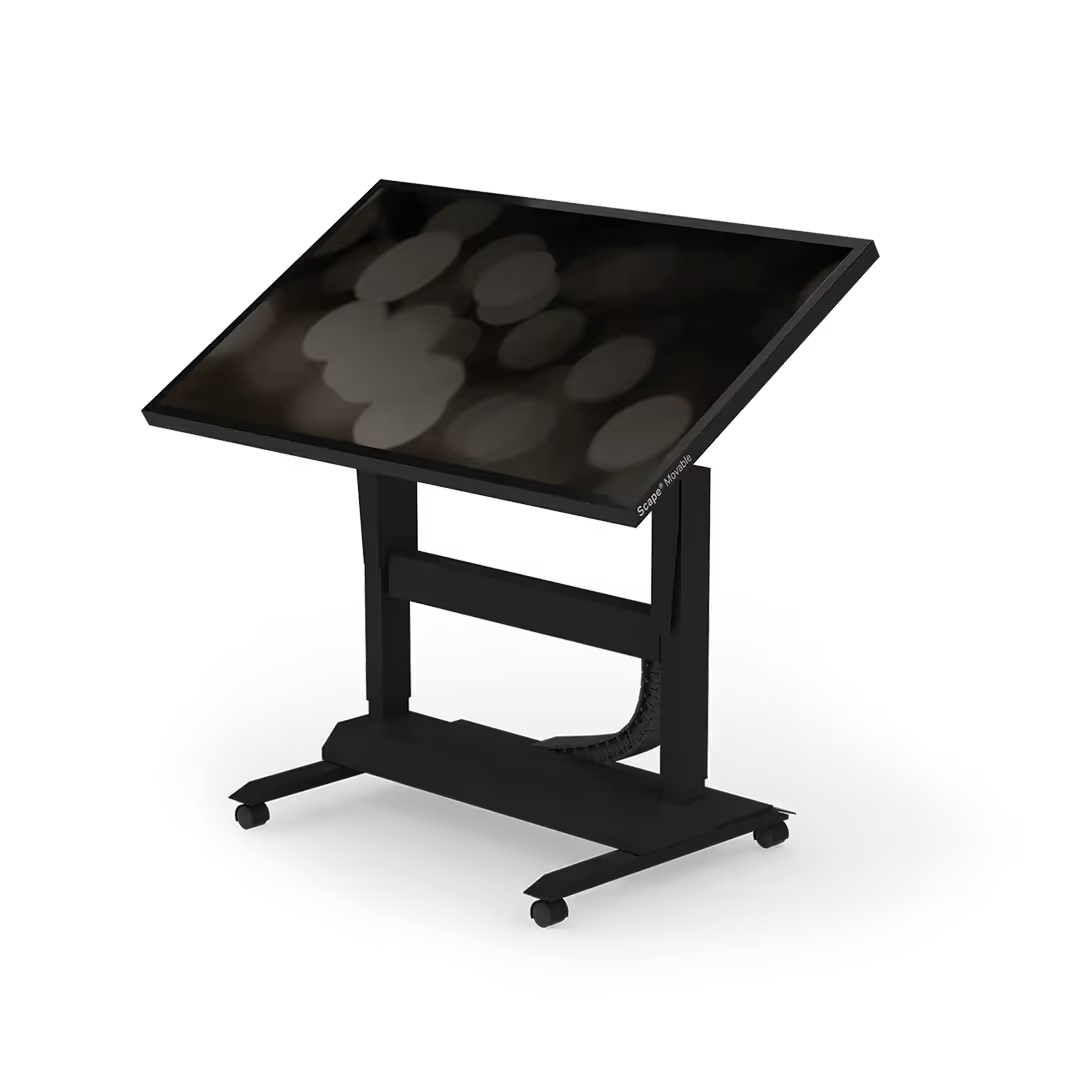


.svg)

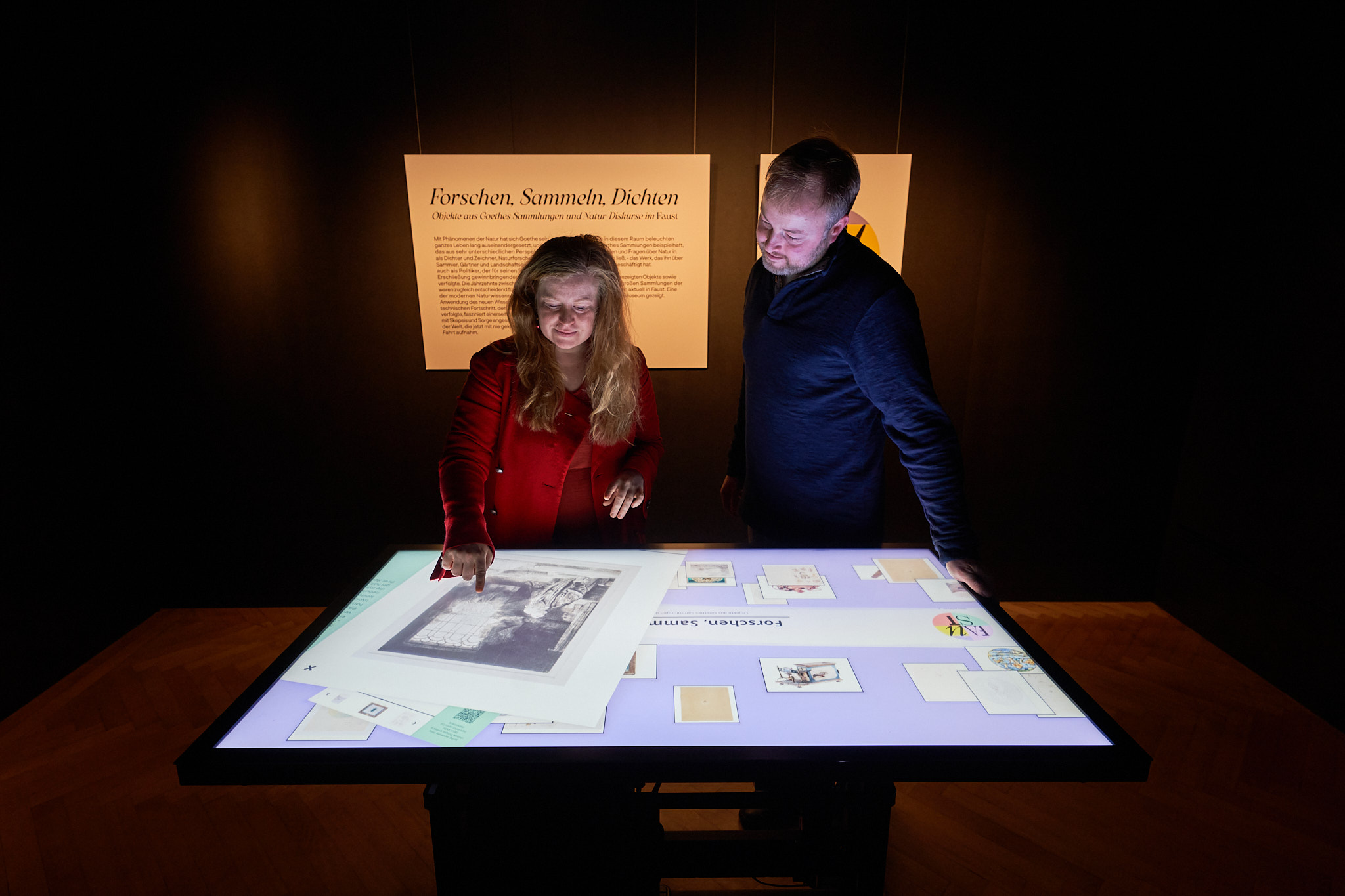

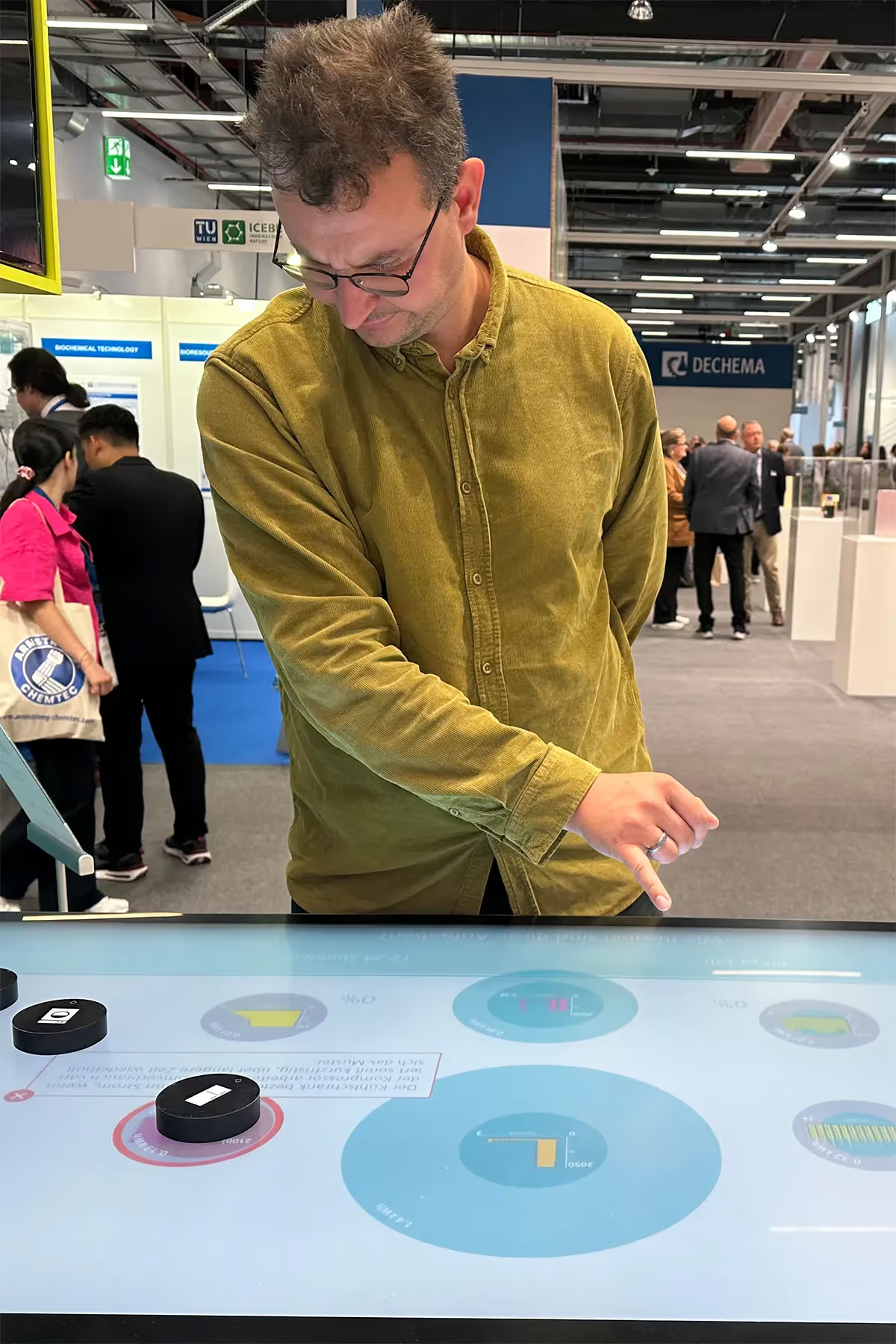

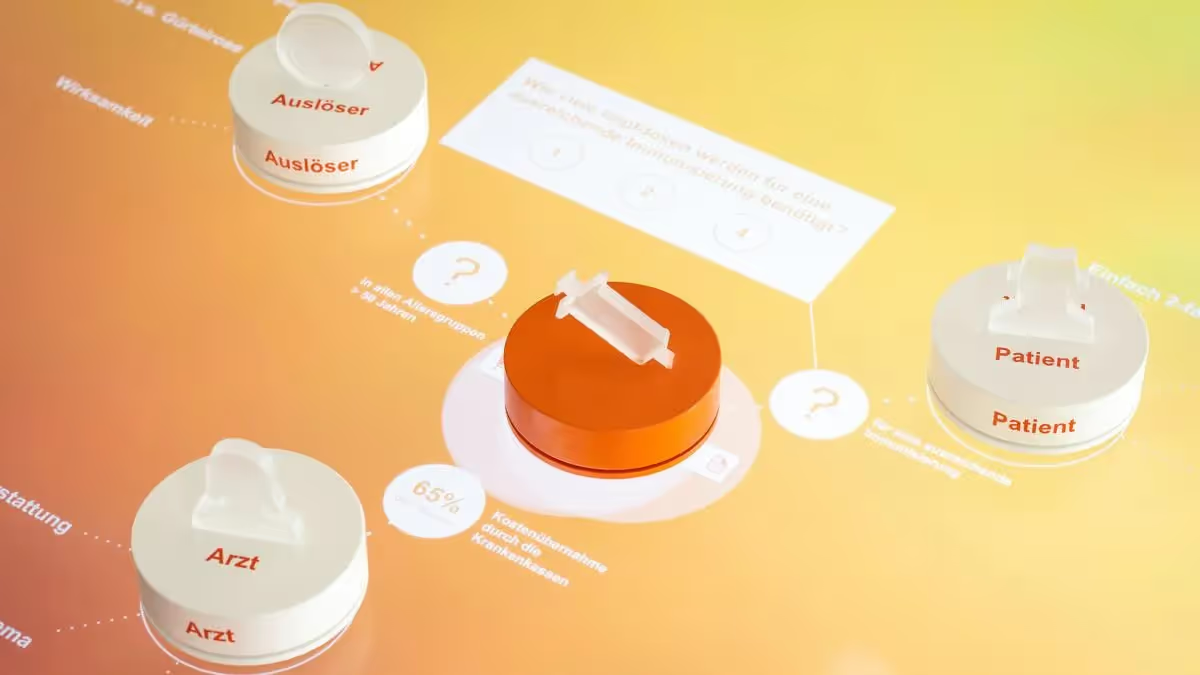

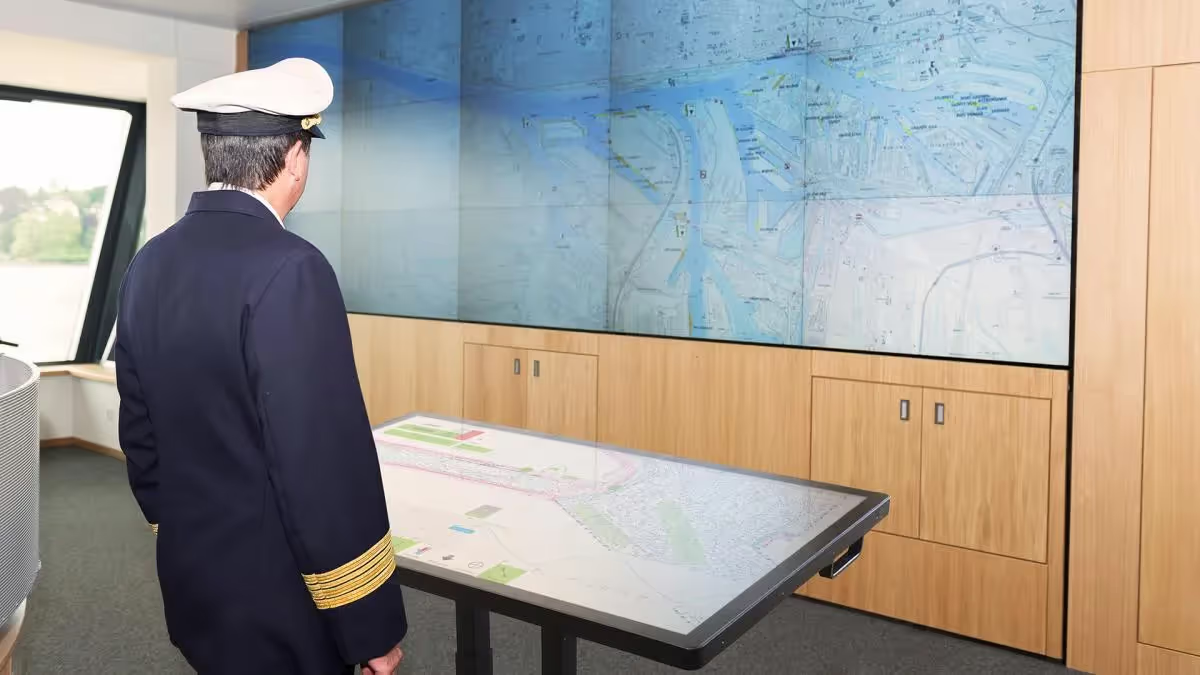

















































.svg)